
 Carmen J. Moore
Are you frustrated with the blurry photos your iPhone 6 Plus camera is capturing? Getting your camera to focus properly is essential for capturing clear and sharp images. Fortunately, there are several steps you can take to improve the focusing capabilities of your iPhone 6 Plus camera.
First, make sure the camera lens is clean and free of any smudges or dirt that may be affecting its ability to focus. Use a soft, lint-free cloth to gently wipe the lens clean.


Next, ensure that your camera settings are optimized for focusing. You can tap on the screen to set the focus point manually or enable the Auto-Focus feature by tapping and holding on the screen until the yellow box appears.
Troubleshooting iPhone 6 Plus Camera Focus Issues
If you are experiencing focus issues with your iPhone 6 Plus camera, there are several troubleshooting steps you can try to resolve the issue. Follow these steps to improve the focus functionality of your camera:
1. Clean the Camera Lens
Make sure the camera lens is clean and free from any dust, smudges, or dirt. Use a soft, lint-free cloth to gently wipe the lens and remove any debris that may be affecting the focus.
2. Restart the Camera App
Close the camera app and reopen it to see if the focus issue persists. Sometimes, restarting the app can help reset any software glitches that may be causing the problem.
3. Update iOS
Check if there are any available updates for your iPhone’s operating system. Updating to the latest version of iOS can often fix bugs and improve the overall performance of your camera.
4. Reset Camera Settings
If the focus issue continues, you can try resetting the camera settings to default. Go to Settings > General > Reset > Reset All Settings. This will not delete any of your data but will reset all camera settings to their original state.
5. Contact Apple Support
If none of the above steps resolve the focus problem with your iPhone 6 Plus camera, it may be a hardware issue. Contact Apple Support or visit an Apple Store for further assistance and potential repair options.
| Note: Always handle your iPhone with care and avoid exposing the camera lens to liquids or extreme temperatures to prevent damage and maintain optimal performance. |
Clean the Camera Lens
If your iPhone 6 Plus camera is having trouble focusing, one common culprit could be a dirty lens. Over time, dust, fingerprints, and other debris can accumulate on the lens, causing the camera to have difficulty focusing properly. To remedy this issue, you can try cleaning the camera lens.
Here’s how you can clean the camera lens:
- Use a microfiber cloth: Gently wipe the lens with a clean, dry microfiber cloth to remove any smudges or fingerprints.
- Avoid using harsh chemicals: Do not use harsh chemicals, such as window cleaner or alcohol, as they can damage the lens coating.
- Blow away dust: If there is visible dust on the lens, you can use a can of compressed air to blow it away gently.
After cleaning the lens, check if the camera is now able to focus properly. If the issue persists, you may need to seek professional help or consider replacing the camera module.
Restart the Camera App
If your iPhone 6 Plus camera is having trouble focusing, it might be due to a glitch in the camera app. To fix this issue, try restarting the camera app. Here’s how:
Step 1: Close the Camera App
Double-click the Home button to bring up the app switcher. Swipe left or right to find the Camera app. Swipe up on the Camera app to close it.
Step 2: Reopen the Camera App
Go back to the Home screen and tap on the Camera app to reopen it. Check if the camera is now able to focus properly.
Update iOS Software
If your iPhone 6 Plus camera is having trouble focusing, it could be due to a software issue. Make sure your iOS software is up to date by following these steps:
- Go to Settings on your iPhone.
- Tap on General.
- Select Software Update.
- If an update is available, tap Download and Install.
Updating your iOS software can often resolve camera focus issues by fixing bugs and improving overall performance. Once the update is complete, check if the camera focus problem has been resolved.
Reset Camera Settings
If your iPhone 6 Plus camera is having trouble focusing, you may want to try resetting the camera settings. This can help resolve any software glitches that may be causing the issue.
To reset the camera settings on your iPhone 6 Plus, follow these steps:
- Go to Settings on your iPhone.
- Scroll down and tap on General.
- Scroll down again and tap on Reset.
- Tap on Reset All Settings.
- You may need to enter your passcode.
- Confirm that you want to reset all settings.
- Once the reset is complete, test your camera to see if the focus issue has been resolved.
Resetting the camera settings will not delete any of your photos or data, but it will reset all the settings related to the camera app. If the focus issue persists after resetting the camera settings, you may need to contact Apple Support for further assistance.
Enable Grid Lines
One helpful feature to assist with focusing your iPhone 6 Plus camera is to enable grid lines. These lines can help you align your shots and ensure that your subject is centered in the frame. To enable grid lines, follow these steps:
- Open Settings: Tap on the Settings app on your iPhone.
- Go to Camera Settings: Scroll down and tap on “Camera”.
- Turn on Grid Lines: Toggle the switch next to “Grid” to enable grid lines on your camera.
Once grid lines are enabled, you can use them as a guide to improve the composition of your photos and help the camera focus on the desired subject.
Use Manual Focus
If your iPhone 6 Plus camera is having trouble focusing automatically, you can try using manual focus to ensure sharp and clear images. To do this, simply tap on the screen where you want the focus to be set. A yellow square will appear, indicating where the focus point is. You can then adjust the focus manually by sliding your finger up or down on the screen until the subject is in focus. This can be particularly useful for capturing close-up shots or when the camera is struggling to focus on a specific subject.
Check for Hardware Damage
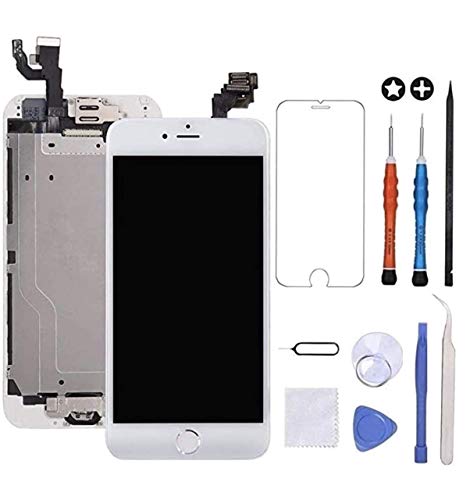
If your iPhone 6 Plus camera is having trouble focusing, it could be due to hardware damage. Inspect the camera lens for any scratches, smudges, or dirt that may be obstructing the lens. Clean the lens with a soft, lint-free cloth and check if the focusing issue persists.
Additionally, check for any physical damage to the camera module itself. If the camera module appears to be damaged or misaligned, it may need to be repaired or replaced by an authorized technician.
It’s also a good idea to restart your iPhone and check if the focusing issue is resolved. If the problem persists after checking for hardware damage, consider contacting Apple Support for further assistance.
Contact Apple Support
If you have tried all the troubleshooting steps and your iPhone 6 Plus camera still won’t focus, it may be time to contact Apple Support for further assistance. You can reach out to Apple Support through their website, by scheduling an appointment at an Apple Store, or by calling their customer support line.
Apple Support representatives are knowledgeable and can help diagnose the issue with your camera. They may be able to provide additional troubleshooting steps or recommend a repair or replacement if necessary.


I've been having issues with my iPhone 6 Plus camera focusing. I cleaned the lens, but it still seems blurry. Has anyone else faced this problem?