
 Carmen J. Moore

Are you tired of blurry and pixelated zoomed-in photos taken with your iPhone camera? Do you wish to capture distant objects with more clarity and detail? Fortunately, there are ways to improve the zoom capability of your iPhone camera without compromising image quality. In this article, we will explore some tips and tricks to help you get better zoom on your iPhone camera.
Optical vs. Digital Zoom: Understanding the difference between optical and digital zoom is crucial when it comes to capturing high-quality zoomed-in images. While optical zoom uses the lens to magnify the image optically, digital zoom enlarges the image digitally, resulting in loss of quality. To enhance the zoom capability of your iPhone camera, it is recommended to rely more on optical zoom and avoid excessive use of digital zoom.
Using Telephoto Lens: If you own an iPhone model with a telephoto lens, such as iPhone 7 Plus or later, you can take advantage of the optical zoom feature to capture distant subjects with greater clarity. The telephoto lens provides a higher magnification level compared to the standard lens, allowing you to zoom in without compromising image quality. Make sure to switch to the telephoto lens when capturing distant objects to achieve better zoom results.


Tips for improving zoom on iPhone camera
If you want to get better zoom on your iPhone camera, here are some tips to help you achieve sharper and clearer images:
1. Use optical zoom: If you have an iPhone model with dual or triple camera lenses, use the optical zoom feature for better quality zoomed-in shots.
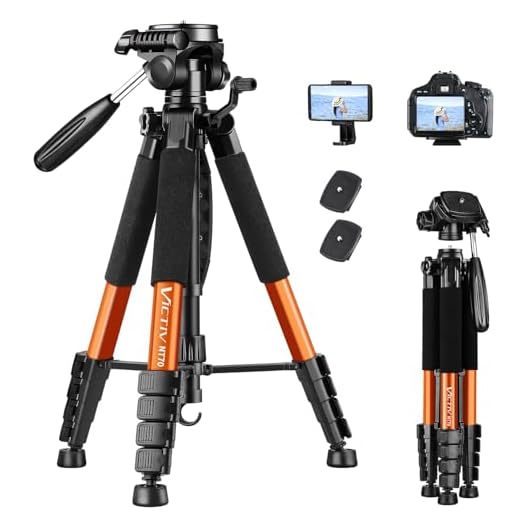
2. Steady your hand: To avoid blurry photos when zooming in, make sure to hold your iPhone steady or consider using a tripod for more stability.
3. Avoid digital zoom: Digital zoom can result in pixelated and low-quality images. Instead, try to physically move closer to your subject for a better shot.
4. Use editing tools: After taking a zoomed-in photo, you can use editing apps to enhance the clarity and sharpness of the image.
5. Experiment with different lighting: Good lighting can make a big difference in the quality of your zoomed-in photos. Try shooting in natural light or using additional lighting sources for better results.
Adjust camera settings for better zoom
If you want to improve the zoom capabilities of your iPhone camera, adjusting the camera settings can help you achieve better results. Here are a few tips to enhance your zooming experience:
1. Use the optical zoom feature
Many newer iPhone models come with optical zoom capabilities, which provide better quality zoomed-in images compared to digital zoom. Make sure to utilize this feature for clearer and sharper zoomed shots.
2. Enable Gridlines
By turning on the Gridlines in the camera settings, you can align your shots more precisely and improve the composition of your zoomed images. This can help you capture better-framed photos with enhanced zoom.
- Access the Settings app on your iPhone.
- Scroll down and tap on “Camera”.
- Toggle on the “Grid” option.
By adjusting these settings and techniques, you can maximize the zoom capabilities of your iPhone camera and capture stunning zoomed-in photos with improved clarity and detail.
Use optical zoom feature effectively
When using the optical zoom feature on your iPhone camera, it’s important to understand how it works and how to use it effectively to get better zoomed-in shots. Here are some tips:
1. Know the limits of optical zoom
Optical zoom uses the camera’s lens to physically zoom in on the subject, resulting in higher image quality compared to digital zoom. However, there is a limit to how much you can zoom in optically, so be aware of this limitation when trying to get closer shots.
2. Use a steady hand
Because optical zoom magnifies the image, any slight movements or shakes can result in blurry photos. To get clear and sharp images, make sure to keep your hand steady while using the optical zoom feature. You can also use a tripod or stabilizer for even better results.
- Hold your iPhone with both hands
- Use your elbows to support your arms
- Take a deep breath and exhale slowly before taking the shot
Clean camera lens for clearer zoomed images
One of the simplest ways to improve the quality of zoomed images on your iPhone is to regularly clean the camera lens. Over time, dust, fingerprints, and smudges can accumulate on the lens, affecting the clarity of your photos. Follow these steps to clean your iPhone camera lens:
- Turn off your iPhone to prevent any accidental actions while cleaning.
- Use a soft, lint-free cloth to gently wipe the camera lens in a circular motion. Avoid using harsh chemicals or abrasive materials that could scratch the lens.
- If there are stubborn smudges or dirt, dampen the cloth slightly with water or lens cleaning solution, and then gently wipe the lens again.
- Check the lens for any remaining dirt or streaks, and repeat the cleaning process if necessary.
By keeping your iPhone camera lens clean, you’ll ensure that your zoomed images are sharper and more vibrant, allowing you to capture stunning details with ease.
Hold the iPhone steady while zooming
When using the zoom feature on your iPhone camera, it’s important to hold the device steady to avoid blurry photos. Here are some tips to help you get a better zoom:
| 1. | Use two hands: Hold your iPhone with both hands to keep it stable while zooming in or out. |
| 2. | Lean against a solid surface: If possible, lean against a wall or a stable object to reduce hand shake. |
| 3. | Use a tripod or a phone mount: For even more stability, consider using a tripod or a phone mount to steady your iPhone. |
| 4. | Take a deep breath: Before taking a photo, take a deep breath and exhale slowly to relax your body and minimize movement. |
Practice and experiment with different zoom levels
One of the best ways to improve your zoom photography on an iPhone is to practice and experiment with different zoom levels. Take the time to familiarize yourself with how the zoom function works on your device and test out different levels of zoom in various lighting conditions.
Try zooming in close to capture fine details or zooming out to get a wider view of the scene. Experimenting with different zoom levels will help you understand the limitations of your iPhone camera’s zoom capabilities and how to best utilize them to capture stunning photos.




What’s the best iPhone model for zooming in on distant subjects?
Models from iPhone 7 Plus onwards have better optical zoom options. The iPhone 11 Pro, 12 Pro, and later also feature enhanced telephoto lenses for clearer zoomed images.
I've tried using the telephoto lens on my iPhone 11, and the results are amazing! Just make sure to steady your hand or use a tripod. It really makes a difference!
I disagree about avoiding digital zoom completely. Sometimes, it’s the only option when you can’t get closer to your subject. While optical zoom is better, I’ve found that with some editing apps, digital zoom can still yield acceptable results for casual shots.
Good point! Digital zoom can be useful in certain situations, especially when combined with editing tools to enhance the image afterward. Just be cautious of the quality loss.