
 Carmen J. Moore

Have you ever wondered if your iPhone camera can capture infrared light? Infrared photography has gained popularity for its unique and surreal look, but not all cameras are capable of capturing this spectrum of light. One common question among iPhone users is whether their device’s camera has an infrared filter that blocks out infrared light.
To answer this question, it’s important to understand how digital cameras work and whether they are sensitive to infrared light. Most digital cameras, including iPhones, come equipped with sensors that can detect a broad spectrum of light, including infrared. However, to produce natural-looking images, manufacturers usually add an infrared filter to block out infrared light.

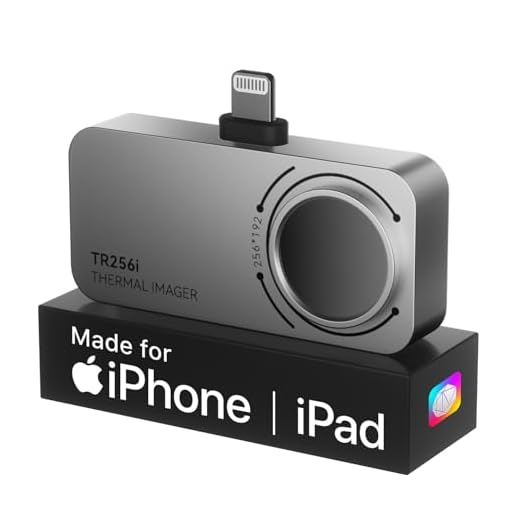

Does iPhone Camera Filter Infrared Light?
When it comes to the iPhone camera, it is designed to capture visible light and filter out infrared light. This means that the iPhone camera does have an infrared filter that blocks infrared light from reaching the image sensor. The filter helps ensure that the photos taken with the iPhone camera accurately represent the colors and details of the scene as seen by the human eye.
How Does the Infrared Filter Work?
The infrared filter in the iPhone camera is a physical barrier that blocks infrared light from passing through to the image sensor. It is placed in front of the sensor to prevent infrared light from affecting the colors and exposure of the captured images. By filtering out infrared light, the iPhone camera can produce more natural-looking photos that closely resemble what we see with our eyes.
Understanding Infrared Photography
Infrared photography is a unique technique that involves capturing light beyond the visible spectrum. While most digital cameras have an infrared filter that blocks infrared light to improve image quality, some photographers remove or modify this filter to enable infrared photography.
How Infrared Photography Works
When infrared light hits the camera sensor, it produces unique and surreal images with a dreamy, ethereal quality. Vegetation appears bright and glowing, while skies become dark and dramatic. Infrared photography transforms ordinary scenes into otherworldly landscapes.
Choosing the Right Equipment
To experiment with infrared photography, you will need a camera that can capture infrared light effectively. Some cameras are more suitable for this technique than others, so it’s essential to research and choose equipment that aligns with your creative vision. Additionally, you may need to invest in infrared filters or modified cameras to achieve desired results.
| Pros of Infrared Photography | Cons of Infrared Photography |
| Creates surreal and artistic images | Requires specialized equipment |
| Transforms ordinary scenes into otherworldly landscapes | Challenging to master and perfect |
| Offers a unique perspective on the world | Not suitable for all types of photography |
Functionality of Infrared Filters
An infrared filter is a type of optical filter that blocks or attenuates infrared light while passing visible light. In the context of smartphone cameras, an infrared filter is typically used to improve image quality by reducing the effects of infrared light on the final image. This helps to achieve more accurate color reproduction and sharpness in photos taken with the camera.
By filtering out unwanted infrared light, the camera can capture more natural-looking images that closely resemble what the human eye sees. This is particularly important in photography where accurate color representation is crucial, such as portrait photography or product photography.
Overall, the inclusion of an infrared filter in smartphone cameras helps to enhance the overall image quality and provide users with better results when capturing photos and videos.
Exploring iPhone Camera Specifications
When it comes to the iPhone camera specifications, Apple has always been at the forefront of innovation. The iPhone camera is known for its exceptional image quality and advanced features that make it a popular choice among smartphone users.
Key Features:
- High-resolution sensors for crisp and clear photos
- Advanced image processing algorithms for vibrant colors and details
- Optical image stabilization for steady shots
- Smart HDR for improved dynamic range
One important aspect of the iPhone camera specifications is the presence of an infrared filter. This filter helps in blocking unwanted infrared light from affecting the final image quality. It ensures that the colors are accurate and the images are sharp.
Overall, the iPhone camera specifications continue to impress users with their performance and quality, making it a top choice for photography enthusiasts and casual users alike.
Investigating Infrared Filter Presence
Many modern smartphones, including the iPhone, come equipped with a camera sensor that has an infrared filter. This filter is used to block out infrared light, which can interfere with the normal color balance and image quality of photos taken with the camera.
The presence of an infrared filter in the iPhone camera ensures that the images captured are true to life and free from any unwanted color shifts or distortions caused by infrared light. This filter helps to produce vibrant and accurate colors in photos taken with the iPhone camera.
While the iPhone camera does have an infrared filter, it is worth noting that some aftermarket lenses or accessories may not include this filter. Therefore, when using external lenses or filters with the iPhone camera, it is important to consider the impact on color balance and image quality that the absence of an infrared filter may have.
Comparing iPhone Camera to Dedicated Infrared Cameras
When it comes to capturing infrared images, dedicated infrared cameras have a clear advantage over the iPhone camera. Dedicated infrared cameras are specifically designed to capture infrared light, allowing for more accurate and detailed images in the infrared spectrum.
The iPhone camera, on the other hand, does not have an infrared filter and is not optimized for capturing infrared light. While some iPhone models may be able to capture a limited amount of infrared light, the quality and accuracy of the images will not be as high as those captured by dedicated infrared cameras.
Additionally, dedicated infrared cameras often have specialized features and settings that allow for more precise control over the infrared imaging process, such as adjustable wavelength sensitivity and temperature measurement capabilities. These features are not available on the iPhone camera.
In conclusion, while the iPhone camera may be able to capture some infrared light, dedicated infrared cameras are the superior choice for capturing high-quality and accurate infrared images.
Potential Uses of Infrared Photography with iPhone
Infrared photography with iPhone can open up a whole new world of creative possibilities. Here are some potential uses:
- Landscape Photography: Infrared photography can capture stunning and surreal landscapes with unique color tones and textures.
- Architecture Photography: Infrared photography can highlight architectural details and create a different perspective on buildings and structures.
- Portrait Photography: Infrared photography can give portraits a dreamy and ethereal quality, perfect for artistic and creative portraits.
- Nature Photography: Infrared photography can reveal hidden patterns and textures in nature, making plants and wildlife appear in a new light.
- Artistic Expression: Infrared photography allows for artistic experimentation and expression, creating unique and visually striking images.
With the right equipment and techniques, iPhone infrared photography can be a powerful tool for photographers looking to push the boundaries of their creativity.
Alternative Methods for Infrared Photography with iPhone
While the iPhone camera does have an infrared filter that limits its ability to capture infrared light, there are still ways to experiment with infrared photography using your iPhone. One method is to use external infrared filters that can be attached to the lens of your iPhone. These filters block visible light and only allow infrared light to pass through, producing unique infrared images.
Another method is to convert your iPhone camera into a full-spectrum camera by removing the infrared filter. This modification allows your iPhone to capture a broader range of light, including infrared. However, this process is more advanced and may void your warranty, so proceed with caution.
Lastly, you can also use infrared photography apps available for download on the App Store. These apps simulate the look of infrared photography by applying filters and effects to your images. While these apps may not produce authentic infrared images, they can still be a fun and creative way to experiment with infrared photography on your iPhone.


I read that dedicated infrared cameras perform much better for infrared photography than iPhones. What features do these cameras have that make them superior?
Dedicated infrared cameras are specifically designed to capture infrared light without the interference of filters. They often offer adjustable settings for wavelength sensitivity and temperature measurements, which are not available in iPhones, allowing for more precise infrared imaging.
I'm curious, can anyone explain how the infrared filter actually affects the colors in photos taken with the iPhone? I’ve heard that removing it can create some surreal effects. What's the difference?
The infrared filter blocks infrared light to ensure accurate color reproduction in photos. If removed, the camera can capture infrared light, leading to dramatic color shifts and surreal images, but this typically requires specialized knowledge and equipment.
So, just to clarify, does the infrared filter on the iPhone mean I can't take any infrared photos at all? Or can I still capture some if I use the right filters or settings?
I love the idea of infrared photography! Even if my iPhone can’t capture it perfectly, I’m excited to try experimenting with the filters I can find.