
 Carmen J. Moore
Have you ever noticed that the lights in your iPhone photos sometimes appear blurry or out of focus? It can be frustrating when you’re trying to capture a beautiful moment, only to have it ruined by the presence of blurry lights.

So, what causes this issue? There are several factors that can contribute to the blurriness of lights in your iPhone camera photos. One common reason is the way the camera lens interacts with light sources, such as street lamps or light fixtures. The lens may struggle to focus properly on these bright, concentrated points of light, resulting in a blurry appearance.
Common Reasons for Blurry Lights on iPhone Camera
When the lights appear blurry on your iPhone camera, there could be several reasons behind this issue. Here are some common factors that may contribute to blurry lights:
- Dirty lens: A dirty lens can distort the image quality and cause lights to appear blurry. Make sure to clean the lens with a soft cloth to improve clarity.
- Low light conditions: Insufficient lighting can lead to blurry images, especially when capturing light sources. Try adjusting the exposure or using additional light sources.
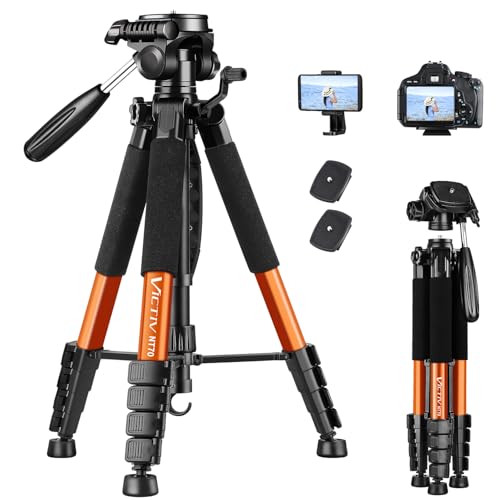
- Shaky hands: Camera shake can result in blurry photos, including lights. Use a tripod or stabilize your hands to avoid motion blur.
- Out-of-focus: If the camera is not focused properly, lights may appear blurry. Tap on the screen to focus on the lights before taking a photo.
- Software issues: Sometimes software glitches can affect the camera performance, causing blurry images. Restarting the camera app or updating the software may help resolve this issue.
Dirty Camera Lens
If the lights in your iPhone camera appear blurry, one possible reason could be a dirty camera lens. Over time, dust, dirt, and fingerprints can build up on the lens, affecting the quality of your photos. To fix this issue, gently clean the lens with a soft microfiber cloth or a lens cleaning solution. Make sure to remove any debris or smudges on the lens to improve the clarity of your photos.
Outdated iOS Software
If your iPhone camera is producing blurry images, it could be due to outdated iOS software. Apple regularly releases updates to improve the performance of the camera and fix any bugs that may be causing issues. If you are running an outdated version of iOS, it could be impacting the quality of your photos.
To check if your iOS software is up to date, go to Settings > General > Software Update on your iPhone. If there is an update available, make sure to download and install it to see if it improves the quality of your camera.
Low Light Conditions
When the lighting conditions are poor, such as in low light settings, your iPhone camera may struggle to focus properly, resulting in blurry images. In low light, the camera needs more time to capture enough light to produce a clear image, which can lead to motion blur if there is any movement during the exposure.
To improve the quality of your photos in low light, try using the built-in flash on your iPhone or investing in external lighting sources. You can also stabilize your phone by using a tripod or resting it on a stable surface to reduce camera shake. Additionally, adjusting the exposure settings or using the night mode feature on newer iPhone models can help capture better images in low light conditions.
Camera Shake
One common reason for blurry photos on an iPhone camera is camera shake. Camera shake occurs when the camera moves while the shutter is open, causing motion blur in the resulting image. This can happen if you are holding the phone unsteadily or if there is movement while taking the photo.
How to Reduce Camera Shake:
- Hold the phone with both hands and try to keep it steady while taking a photo.
- Use a tripod or a stable surface to place your iPhone on for better stability.
- Consider using the timer function to delay the shot after pressing the shutter button, allowing any movement to settle.
Autofocus Issues
One common reason for blurry lights on your iPhone camera is autofocus issues. The iPhone camera relies on autofocus to adjust the focus of the lens automatically. If the autofocus is not working properly, it can result in blurry images, especially when capturing lights or other small, bright objects.
To troubleshoot autofocus issues, try cleaning the camera lens, making sure there are no obstacles blocking the lens, and ensuring that the camera app is updated. If the problem persists, you may need to reset the camera settings or seek professional assistance to fix the autofocus mechanism.
Hardware Problems
Blurry lights on your iPhone camera could also be caused by hardware issues. If the camera lens is scratched or damaged, it may not be able to focus properly, resulting in blurry images. Additionally, if there is dust or debris inside the camera lens, it can obstruct the light entering the lens and cause blurriness.
If you suspect that the issue is hardware-related, you may need to take your iPhone to a professional technician or an Apple Store for further diagnosis and potential repairs.


I had the same problem! Cleaning the lens helped a lot. It was really dirty from fingerprints.
I understand that using a tripod can help with camera shake, but what about low light settings? Can using the flash make a difference or does it sometimes create more problems?