
 Carmen J. Moore

Have you ever experienced your iPhone camera shaking while trying to take a photo or record a video? It can be frustrating and lead to blurry or distorted images. There are several reasons why your iPhone camera may shake, and understanding these factors can help you prevent it from happening in the future.


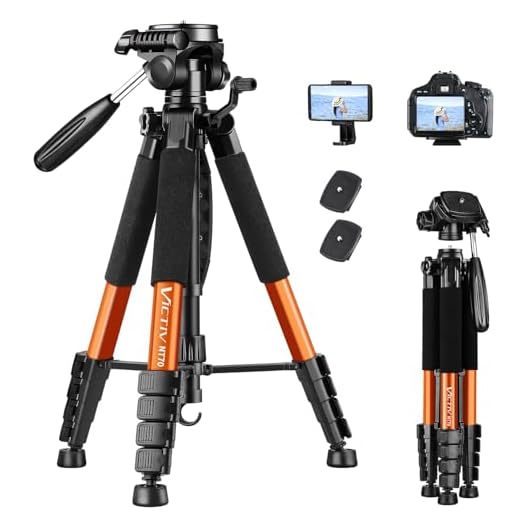
One of the most common reasons for camera shake is a shaky hand or unstable grip while holding your iPhone. The slightest movement can cause the camera to shake and result in a blurry image. To avoid this, try to hold your iPhone with both hands, keep your elbows close to your body, and take a deep breath before capturing a photo.
Reasons Why Your iPhone Camera Shakes
There are several reasons why your iPhone camera may shake when taking photos or recording videos. Here are some common causes:
| 1 | Hand Movement | Shaking hands or unstable grip while holding the iPhone can cause the camera to shake. |
| 2 | Low Light Conditions | Inadequate lighting can result in longer exposure times, making the camera more sensitive to movement. |
| 3 | Hardware Issues | Physical damage or issues with the iPhone’s internal components can lead to camera shake. |
| 4 | Software Problems | Outdated software or glitches in the camera app can also cause the camera to shake. |
| 5 | External Factors | Environmental conditions like wind or vibrations can impact the stability of the camera. |
By addressing these factors, you can reduce camera shake and improve the quality of your iPhone photos and videos.
Lack of Stability in Hand
One common reason why your iPhone camera may shake is due to lack of stability in your hand while taking photos or videos. If your hand is not steady, even the slightest movement can cause the camera to shake, resulting in blurry or distorted images. To avoid this issue, try to hold your iPhone with both hands, keep your elbows close to your body, and take a deep breath before pressing the shutter button to minimize any shaking.
Low Light Conditions
One common reason why your iPhone camera may shake is due to low light conditions. When there is not enough light available, the camera may struggle to focus properly, resulting in blurry or shaky images. In low light, the camera’s shutter speed may slow down to allow more light to enter the lens, making it more susceptible to motion blur from even the slightest movement.
How to Improve:
To reduce camera shake in low light conditions, try increasing the light in the environment or using the iPhone’s built-in flash. Additionally, you can stabilize your iPhone by using a tripod or a steady surface to rest it on. This will help minimize any unwanted movement and produce sharper images.
Hardware Issues
If your iPhone camera is shaking, it could be due to hardware issues. The physical components of the camera, such as the lens or stabilizer, may be damaged or malfunctioning. In this case, you may need to take your iPhone to an authorized service center for repair or replacement of the faulty hardware.
Software Glitches
Software glitches can also cause your iPhone camera to shake. Sometimes, a bug in the camera app or the operating system can lead to instability in the camera function, resulting in shaky images and videos.
How to fix:
- Check for software updates and install them if available.
- Try force quitting the camera app and relaunching it.
- If the issue persists, consider resetting your iPhone to factory settings or contacting Apple Support for further assistance.
Auto-Focus Problems
One common reason why your iPhone camera may shake is due to auto-focus problems. When the camera struggles to focus properly, it may result in shaky or blurry images. This can happen if the camera lens is dirty, obstructed, or damaged. To fix this issue, try cleaning the lens with a soft, dry cloth and make sure there are no obstructions in front of the lens. If the problem persists, you may need to have the camera lens repaired or replaced by a professional.
External Factors
There are several external factors that can contribute to your iPhone camera shaking. These factors include:
- Hand Movement: Your hand movements while holding the iPhone can cause the camera to shake, resulting in blurry photos or videos.
- Environmental Conditions: Strong winds, uneven surfaces, or unstable platforms can also lead to camera shake.
- Low Light: In low light conditions, the camera may use a slower shutter speed, making it more susceptible to movement-induced blur.
How to Minimize External Factors:
- Use a tripod or stabilize your hand position to reduce shake caused by hand movement.
- Avoid shooting in windy or unstable conditions to minimize environmental factors.
- Ensure proper lighting to prevent the camera from using slow shutter speeds in low light situations.
Camera Settings
One possible reason why your iPhone camera may shake is due to incorrect camera settings. Here are some settings to check:
1. Image Stabilization
Make sure that the image stabilization feature is enabled on your iPhone camera. This can help reduce camera shake when taking photos or videos.
2. Exposure and Focus
Check the exposure and focus settings on your camera. If these settings are not adjusted properly, it can result in blurry or shaky images. Ensure that the exposure is set correctly and the focus is sharp.
| Setting | Description |
|---|---|
| Image Stabilization | Reduces camera shake for clearer photos and videos. |
| Exposure | Adjusts the amount of light entering the camera. |
| Focus | Determines the sharpness of the image. |
Tips to Prevent Camera Shake
Camera shake can be a common issue when taking photos with your iPhone. Here are some tips to help prevent it:
1. Use a Tripod
One of the best ways to prevent camera shake is to use a tripod. This will provide stability and ensure that your photos are sharp and clear.
2. Hold Your iPhone Steadily
When taking a photo, make sure to hold your iPhone steadily with both hands. This will help reduce any movement that can cause camera shake.
3. Use the Timer
If holding your iPhone steady is a challenge, try using the timer feature. This will give you a few seconds to stabilize your phone before the photo is taken.
By following these tips, you can minimize camera shake and capture better photos with your iPhone.


What do you mean by hardware issues? Like, does that mean I need to take my phone to get fixed if my camera shakes?
Yes, hardware issues refer to physical damage or malfunction in the camera components. If simple fixes don't work, a visit to a repair center may be necessary.
How does the iPhone's image stabilization compare to other smartphones? I've heard some brands do better.
Generally, iPhones have excellent image stabilization, but brands like Samsung also offer strong performance. Actual results can vary based on conditions and specific models.
I recently had a frustrating experience with my iPhone camera shaking. I thought it was just my hand moving, but after checking, I realized my lens was dirty! A quick clean made a world of difference. So if anyone's facing similar issues, definitely check the lens first.
Has anyone experienced camera shake specifically in low light conditions? I often find my photos come out blurry when the lighting isn't good. Any tips to improve that?
I have the same issue! I find using the flash helps a bit, but it’s not always the best option. A tripod really does make a difference too.
I don’t think using a tripod is always practical. Sometimes you just want to take a quick photo on the go. There should be better software solutions for stabilizing images in those moments.
I always use the timer feature. It really helps to reduce shake when I'm taking group photos!