
 Carmen J. Moore

Having a high-quality camera on your iPhone can make a world of difference when it comes to capturing beautiful photos and videos. Whether you’re a professional photographer or just someone who loves snapping pictures, knowing how to optimize your iPhone’s camera settings is crucial.


In this article, we’ll explore some tips and tricks to help you set good camera quality on your iPhone. From adjusting basic settings to using advanced features, we’ll cover everything you need to know to take stunning shots with your iPhone.
Steps to enhance camera quality
To enhance the camera quality on your iPhone, follow these simple steps:
- Keep your lens clean: Make sure to clean the lens of your iPhone camera regularly to avoid any smudges or dirt that may affect the image quality.
- Adjust exposure and focus: Tap on the screen to adjust exposure and focus before taking a photo to ensure the subject is properly lit and in focus.
- Use natural light: Whenever possible, try to capture photos in natural light to improve the overall quality of the image.
- Enable HDR mode: Turn on the HDR mode on your iPhone to enhance the dynamic range of your photos and capture more details in high-contrast scenes.
- Experiment with different camera settings: Explore the camera settings on your iPhone and experiment with features like portrait mode, night mode, and filters to enhance the quality of your photos.
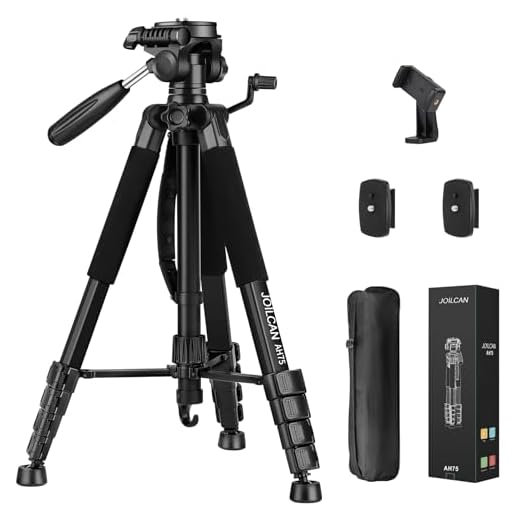
- Use a tripod or stabilizer: For clear and sharp images, consider using a tripod or stabilizer to avoid camera shake and blurriness.
- Edit photos: After capturing photos, use photo editing apps to enhance the colors, sharpness, and overall quality of your images.
Adjust camera settings for best quality
When it comes to capturing high-quality photos and videos on your iPhone, adjusting the camera settings is key. Here are some tips to help you get the best results:
1. Check and adjust resolution and frame rate
Make sure you’re shooting in the highest resolution and frame rate available on your iPhone. This will ensure that your photos and videos are crisp and clear.
2. Use HDR for better exposure
Turn on the HDR (High Dynamic Range) feature on your iPhone to improve the overall exposure of your photos. HDR combines multiple exposures to create a more balanced and vibrant image.
By following these tips and adjusting your iPhone camera settings, you can enhance the quality of your photos and videos for a more professional look.
Use natural lighting for better pictures
Natural lighting plays a crucial role in capturing high-quality photos with your iPhone. When shooting indoors, try to position your subject near a window or in a well-lit area to take advantage of natural light. Avoid using harsh overhead lights or direct sunlight, as they can create harsh shadows and overexposure.
Experiment with different angles and times of day to find the best natural lighting conditions for your photos. Remember, good lighting can make a significant difference in the quality of your iPhone pictures.
Clean the camera lens for clear images
One of the simplest ways to improve the quality of your iPhone camera is to ensure that the lens is clean. Over time, dirt, dust, and fingerprints can accumulate on the lens, affecting the clarity of your photos. To clean the camera lens:
- Use a microfiber cloth: Gently wipe the lens with a clean, dry microfiber cloth to remove any dirt or smudges.
- Avoid using harsh chemicals: Do not use harsh cleaning chemicals or abrasive materials to clean the lens, as they can damage the lens coating.
- Check the lens before taking photos: Before capturing important moments, always make sure to check the lens for any dirt or smudges and clean it if necessary.
Experiment with different angles and compositions
One way to improve your iPhone camera quality is to experiment with different angles and compositions. Try shooting from different perspectives, such as from above or below your subject, or from a side angle. Changing the composition of your photos can make them more visually interesting and dynamic.
Additionally, consider the rule of thirds when composing your shots. This rule suggests dividing your frame into a grid of nine equal sections and placing your subject or key elements along the intersecting lines or at the points where they meet. This can create a more balanced and visually appealing image.
| Try shooting from different perspectives | Experiment with the rule of thirds |
Use editing apps to enhance your photos
After capturing stunning photos with your iPhone camera, you can further enhance them using editing apps. There are many apps available on the App Store that can help you adjust the brightness, contrast, saturation, and other elements of your photos to make them look even better. Some popular editing apps include Adobe Lightroom, VSCO, Snapseed, and Afterlight.
These apps offer a wide range of features and tools that allow you to fine-tune your photos and give them a professional touch. You can crop, straighten, apply filters, adjust colors, and add creative effects to make your photos stand out. Experiment with different editing techniques to find the style that best suits your photos.
Remember to always save a copy of the original photo before making any edits, so you can revert back to it if needed. With the help of editing apps, you can take your iPhone photography to the next level and create stunning images that you’ll be proud to share with others.
Practice and learn photography techniques
Improving the quality of your iPhone camera photos goes beyond just adjusting the settings. To truly elevate your photography skills, it’s essential to practice and learn photography techniques. Here are some tips to help you get started:
1. Composition
Explore different composition techniques such as the rule of thirds, leading lines, framing, and symmetry. Experiment with different angles and perspectives to create visually appealing shots.
2. Lighting
Understand how lighting can impact your photos. Learn to work with natural light and experiment with different lighting conditions to create mood and atmosphere in your photos. Consider investing in additional lighting accessories for more control over your lighting setup.


What does HDR mode do exactly? I've heard it's good for photos, but how?
HDR stands for High Dynamic Range. It helps improve photo exposure by combining multiple shots taken at different exposures. This results in better detail in both the highlights and shadows.
What do you all think about using editing apps? I find Snapseed easier to use than Lightroom. Anyone else prefer one over the other?
I agree, Snapseed is much more user-friendly for quick edits!
Both apps have their strengths. Snapseed is great for beginners, while Lightroom offers more advanced editing features for those looking to enhance their skills.
Using natural light really makes a difference. I always try to shoot during golden hour for the best results!
I don’t think using a tripod is always necessary. I’ve taken great photos just holding my phone steady. It really depends on the situation!