
 Carmen J. Moore
Updating the software on your GoPro camera is essential to ensure that it functions smoothly and efficiently. However, one common question that many GoPro users have is how long the software update process takes.
The time it takes to update the software on your GoPro camera can vary depending on several factors, including the speed of your internet connection, the size of the update file, and the model of your GoPro camera.
Typically, a software update for a GoPro camera can take anywhere from a few minutes to half an hour. It is important to ensure that your camera is fully charged and connected to a stable internet connection before starting the update process.
Factors affecting update time
Several factors can influence the time it takes for a GoPro camera software update to complete. Some of the key factors include:


| 1. Internet connection speed | The speed of your internet connection can significantly impact the time it takes to download the software update. Faster internet speeds will generally result in quicker download times. |
| 2. File size of the update | The size of the software update file will determine how long it takes to download and install. Larger updates will naturally take longer to complete than smaller ones. |
| 3. Processing power of your computer | The processing power of your computer or device can affect how quickly the software update is installed. Faster processors will generally complete the update more quickly. |
| 4. Stability of the internet connection | If your internet connection is unstable or prone to dropouts, the software update process may be interrupted, leading to longer update times or potential failures. |
| 5. Other applications running | If you have other applications running on your computer or device while the software update is in progress, it may slow down the update process. Closing unnecessary applications can help speed up the update. |
Internet Connection Speed
Internet connection speed plays a crucial role in the time it takes to complete a GoPro camera software update. A faster internet connection will result in a quicker download and installation process, while a slower connection will naturally take longer. It is recommended to have a stable and high-speed internet connection when performing software updates to ensure a smooth and efficient process.
Size of the update file
When updating the software on your GoPro camera, the size of the update file can vary depending on the specific update being installed. Typically, firmware updates for GoPro cameras are relatively small in size, ranging from a few megabytes to a couple of hundred megabytes. The size of the update file will be displayed before you initiate the update process, allowing you to estimate how long the download and installation process may take based on your internet connection speed.
GoPro Camera Model
When it comes to GoPro cameras, there are several models available on the market to suit different needs and preferences. Some of the popular GoPro camera models include:
1. GoPro HERO9 Black
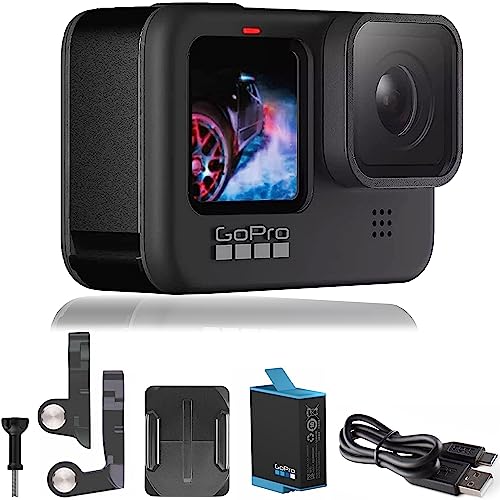
The GoPro HERO9 Black is the latest flagship model from GoPro, offering high-quality 5K video recording, a front-facing display, and improved stabilization features.
2. GoPro HERO8 Black
The GoPro HERO8 Black is a versatile camera known for its HyperSmooth 2.0 stabilization, TimeWarp 2.0 feature, and improved audio quality.
Each GoPro camera model comes with its own unique set of features and capabilities, catering to the needs of different users, whether they are professional videographers or adventure enthusiasts.
Tips to speed up the update
Here are some tips to help speed up the GoPro camera software update process:
- Ensure a stable internet connection: Make sure you have a strong and stable internet connection to download the update files quickly.
- Close unnecessary programs: Close any unnecessary programs or applications running on your computer to free up resources and speed up the update process.
- Use a high-speed USB cable: If you’re updating your GoPro camera via USB, use a high-speed USB cable to transfer the update files faster.
- Update during off-peak hours: Try to update your GoPro camera during off-peak hours when internet traffic is lower to speed up the download process.
- Keep your camera charged: Make sure your GoPro camera has enough battery life to complete the update without interruptions.
- Check for updates regularly: Check for software updates regularly to stay up to date with the latest features and improvements.
Final thoughts
In conclusion, updating the software on your GoPro camera is a relatively quick and simple process that can typically be completed in a matter of minutes. By ensuring that your camera is running the latest software version, you can take advantage of new features, improvements, and bug fixes that enhance your overall user experience. Remember to always follow the instructions provided by GoPro when updating your camera’s software to ensure a smooth and successful update process.


I have a GoPro HERO9 and noticed the updates seem to vary a lot in time. Is it common for updates to take longer if the file size is bigger? Also, what can I do if the update fails midway?
Yes, larger file sizes can definitely extend the update time. If an update fails, ensure your internet connection is stable and try again. You can also check GoPro's support site for troubleshooting tips.
Remember to keep your GoPro charged! I almost had an update fail because my battery was low.
I've had both the HERO8 and HERO9. The HERO9 updates seem to be quicker despite being a newer model. I wonder if they optimized the update process?
It's possible! GoPro continually works on improving their software and update processes with newer models, which can lead to better performance.