
 Carmen J. Moore
Are you looking to take a professional-quality 2×2 photo with your DSLR camera? Whether you need it for a passport, ID card, or any other official documentation, following a few simple steps can help you achieve the perfect shot. In this guide, we will walk you through the process of capturing a high-resolution 2×2 photo using your DSLR camera.


First and foremost, make sure your DSLR camera is set to the appropriate settings for a 2×2 photo. This typically involves setting the aspect ratio to 1:1 and the resolution to at least 600×600 pixels. Additionally, adjust the white balance and exposure settings to ensure a well-balanced and properly exposed image.
When framing your shot, position your subject against a plain, light-colored background to ensure that they stand out in the photo. Use natural lighting or a soft, diffused artificial light source to avoid harsh shadows and achieve a flattering, even light on your subject’s face. Remember to leave some space around the edges of the frame to allow for cropping to the 2×2 dimensions later on.
Step-by-step guide to taking 2×2 photo with a DSLR camera
To take a 2×2 photo with your DSLR camera, follow these steps:
1. Set up your camera
Turn on your DSLR camera and select the appropriate shooting mode. Make sure your camera is set to manual mode for more control over settings.
2. Adjust the settings
Set your camera to the desired image quality and resolution. Adjust the ISO, aperture, and shutter speed to achieve the desired exposure.
3. Frame your shot
Position your subject in the center of the frame and adjust the composition as needed. Make sure the subject is well-lit and in focus.
By following these steps, you can capture a high-quality 2×2 photo with your DSLR camera.
Choose the right camera settings
When taking a 2×2 photo with a DSLR camera, it’s important to choose the right camera settings to ensure the best results. Here are some tips:
- Resolution: Set your camera to the highest resolution possible to capture the details in the photo.
- ISO: Use a low ISO setting (such as 100 or 200) to minimize noise in the image.
- Aperture: Select a small aperture (higher f-number) to increase the depth of field and ensure that the entire subject is in focus.
- Shutter Speed: Use a fast shutter speed to avoid motion blur, especially if you’re shooting handheld.
- White Balance: Adjust the white balance settings according to the lighting conditions to ensure accurate colors in the photo.
Set up the camera on a tripod
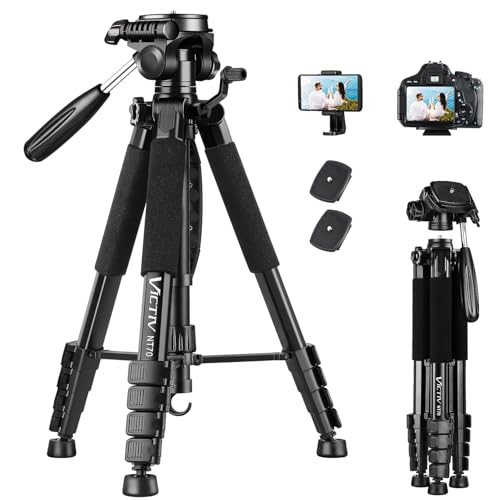
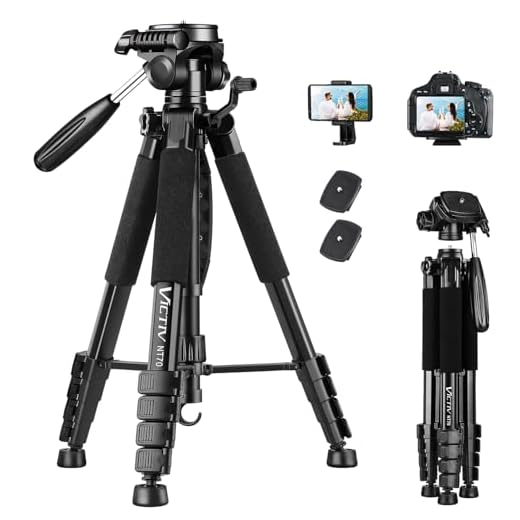
Before taking a 2×2 photo with your DSLR camera, it’s important to set up the camera on a tripod to ensure stability and avoid any blurriness in the final image. A tripod will help you keep the camera steady and maintain a consistent composition throughout the shooting process.
Choosing the right tripod
Make sure to choose a tripod that is sturdy enough to support the weight of your DSLR camera and any additional accessories you may be using. Look for a tripod with adjustable legs and a secure mounting plate to easily position your camera for the perfect shot.
Tip: Invest in a tripod with a ball head or pan-and-tilt head for added flexibility in adjusting the camera angle and composition.
Position the subject in the frame
Consider the background as well – make sure it’s not distracting or cluttered. A clean and simple background will help your subject stand out in the photo. Experiment with different angles and perspectives to find the best composition for your 2×2 photo.
Adjust the composition and framing
Once you have set up your camera and chosen the appropriate settings, it is important to adjust the composition and framing of your shot. Position your subject in the center of the frame and make sure there is enough space around them to ensure a clear and balanced image.
Consider the rule of thirds to create a more visually appealing composition. This rule suggests dividing your frame into thirds both horizontally and vertically, and placing your subject on one of the intersecting points.
Take your time to experiment with different angles and perspectives to find the most flattering composition for your 2×2 photo. Don’t be afraid to try out different framing techniques to add interest and creativity to your shot.
Focus on the subject
When taking a 2×2 photo with a DSLR camera, it is crucial to ensure that your subject is in sharp focus. To achieve this, use the autofocus feature on your camera or manually adjust the focus by turning the focus ring on your lens. Make sure the subject is well-lit and stands out from the background to create a clear and crisp image.
Use a timer or remote shutter release
If you want to take a 2×2 photo with a DSLR camera, using a timer or remote shutter release can be very helpful. This will allow you to set up the camera, frame the shot, and then trigger the shutter remotely without having to touch the camera itself. This helps eliminate any potential camera shake that could result from pressing the shutter button manually.
Take the photo in good lighting conditions
When taking a 2×2 photo with a DSLR camera, it is essential to ensure that you have good lighting conditions. Natural light is usually the best option, so try to take the photo during the day when there is plenty of sunlight. Avoid harsh shadows or direct sunlight on the subject’s face, as this can create unflattering shadows and highlights.
If you are indoors, try to position your subject near a window or a source of natural light. You can also use artificial lighting, such as softbox lights or studio lights, to create a well-lit environment. Make sure the lighting is even and does not create harsh shadows or overexposed areas in the photo.
Review and adjust the image if necessary
After capturing the 2×2 photo with your DSLR camera, it’s important to review the image on the camera’s LCD screen. Check for any issues such as improper framing, exposure, or focus. If necessary, make adjustments to the camera settings and take another shot.
Pay attention to details like lighting, composition, and sharpness. Use the camera’s zoom function to closely inspect the image and ensure that it meets the requirements for a 2×2 photo. Make any necessary edits or adjustments to the image to achieve the desired result.
Save and export the photo in 2×2 format
Once you have taken the photo in the appropriate composition for a 2×2 format, it’s time to save and export the image. Follow these steps to ensure your photo meets the required dimensions:
- Transfer the photo from your DSLR camera to your computer using a USB cable or memory card.
- Open the photo in an image editing software like Adobe Photoshop or GIMP.
- Resize the image to 2×2 inches by adjusting the dimensions in the software. Make sure to maintain the aspect ratio to avoid distortion.
- Crop the image if necessary to fit the 2×2 aspect ratio.
- Save the image in a high-quality format like JPEG or PNG to preserve the details.
- Export the final image and make sure the resolution is at least 300 DPI for printing.
By following these steps, you’ll have a perfectly sized 2×2 photo ready for printing or digital use.
FAQ
What equipment do I need to take a 2×2 photo with a DSLR camera?
To take a 2×2 photo with a DSLR camera, you will need a DSLR camera with manual settings, a tripod for stability, a remote shutter release or self-timer function, and good lighting conditions.
Can I take a 2×2 photo with a DSLR camera without a tripod?
While it is possible to take a 2×2 photo with a DSLR camera without a tripod, using a tripod is highly recommended to ensure stability and sharpness in the image. A tripod helps eliminate camera shake, especially in low light conditions.
What settings should I use on my DSLR camera to take a 2×2 photo?
To take a 2×2 photo with a DSLR camera, set your camera to manual mode, adjust the aperture to achieve a shallow depth of field, set the ISO to the lowest possible setting for optimal image quality, and adjust the shutter speed to properly expose the image. Additionally, make sure your camera is set to the appropriate aspect ratio for a 2×2 photo.




I think using a remote shutter release is overrated. I've always just pressed the shutter button and had fine results. Not sure it's necessary.
I disagree, especially for close-ups. Even slight camera shake can ruin a shot. A remote is worth the investment for sharper images.
Could you explain more about the rule of thirds? I understand it helps with composition, but how exactly do I apply it when framing my subject?
What ISO settings do you recommend for taking 2×2 photos indoors? I'm worried about noise in low lighting.
Remember to check the background before taking your photo. A cluttered background can distract from your subject!
I took some 2×2 photos for my passport using this guide, and it really helped! The tripod made a huge difference in avoiding blurriness.