
 Carmen J. Moore

Choosing the right megapixel setting for your digital camera is a crucial decision that can greatly impact the quality of your photos. Megapixels are the building blocks of digital images, and understanding how they work can help you capture stunning photographs.
But what exactly is the best megapixel setting for your digital camera? Is higher always better, or are there situations where lower megapixels can actually be more beneficial?
In this article, we will explore the factors to consider when selecting the ideal megapixel setting for your digital camera, as well as dispel some common myths surrounding this topic. By the end, you will have a better understanding of how to make the most of your camera’s megapixel capabilities.
The Importance of Megapixel Settings
When it comes to digital cameras, the megapixel setting plays a crucial role in determining the quality of the images you capture. Megapixels refer to the resolution of the images produced by the camera, with higher megapixel counts resulting in sharper and more detailed photos.



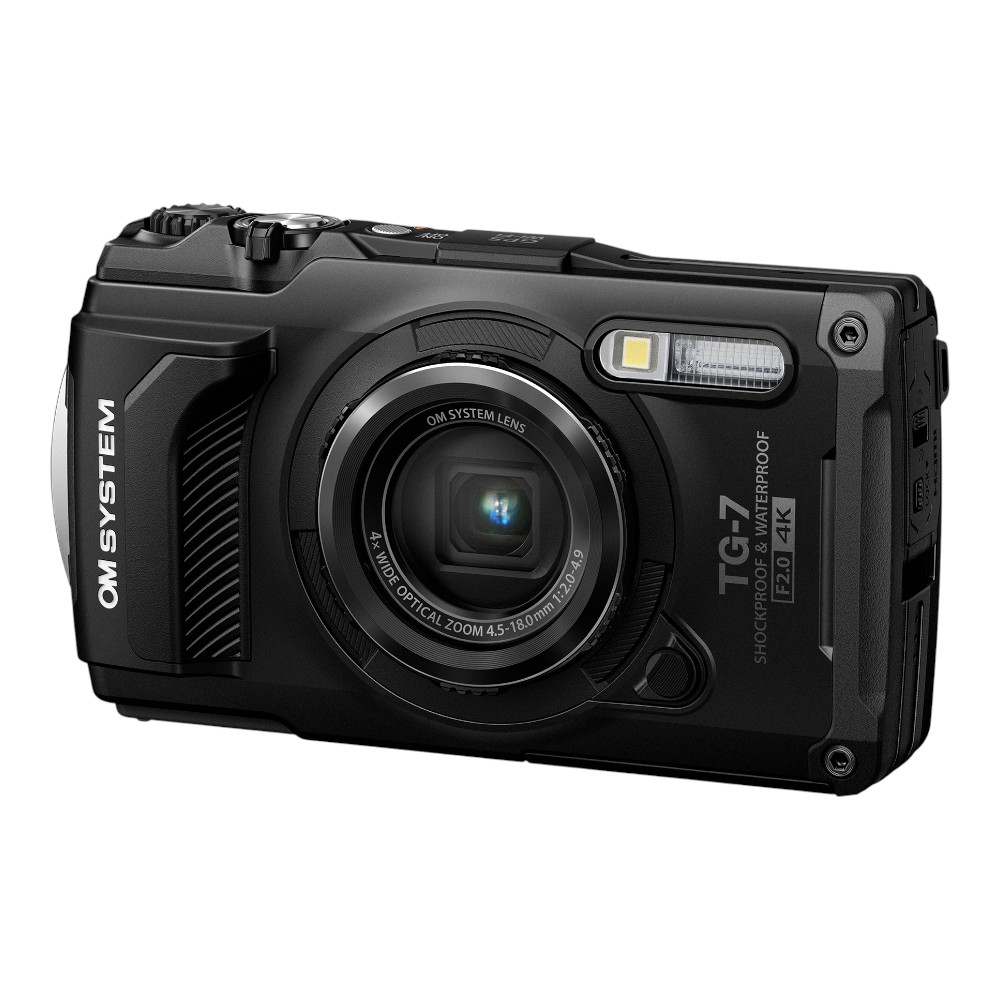
Choosing the right megapixel setting for your needs is essential. For example, if you mainly intend to share photos on social media or view them on screens, a lower megapixel setting may be sufficient. However, if you plan to print photos in large sizes or crop images extensively, a higher megapixel setting would be more appropriate.
It’s important to strike a balance between resolution and file size. Higher megapixel settings generate larger files, which can quickly fill up your storage space. On the other hand, lower megapixel settings may limit your ability to enlarge or crop images without losing quality.
Ultimately, the best megapixel setting for your digital camera depends on your specific photography needs and preferences. Consider factors such as intended use, printing requirements, and storage capacity when selecting the optimal setting for your camera.
Understanding Megapixels in Photography
Megapixels are a crucial aspect to consider when choosing a digital camera. Essentially, a megapixel is a unit of measurement for digital imaging, representing one million pixels. Pixels are the tiny building blocks of an image, and the more pixels in a photo, the higher the resolution and detail.
When it comes to photography, the number of megapixels can impact the quality of your images. Higher megapixel counts can result in sharper, more detailed photos, especially when printing large prints or cropping photos.

However, it’s essential to note that more megapixels don’t always mean better quality. Factors like sensor size, lens quality, and image processing also play a significant role in image quality. For most casual photographers, a camera with around 12-24 megapixels is more than sufficient for everyday use.
In conclusion, understanding megapixels in photography is essential for making informed decisions when purchasing a digital camera. It’s crucial to strike a balance between megapixels and other factors to ensure you get the best image quality for your needs.
Factors to Consider When Choosing Megapixel Settings
When selecting the megapixel setting on your digital camera, there are several factors to consider to ensure you capture the best possible images:
1. Resolution Requirements
- Determine the intended use of the photos. If you plan to print large, high-quality prints, you may need a higher megapixel setting.
- For online sharing or small prints, a lower megapixel setting may be sufficient and can save storage space on your memory card.
2. Storage Capacity
- Higher megapixel settings result in larger file sizes, requiring more storage space on your memory card. Consider the capacity of your memory card when selecting the megapixel setting.
- If you plan to take a large number of photos or shoot in RAW format, a higher-capacity memory card may be necessary.
By considering these factors, you can choose the appropriate megapixel setting on your digital camera to meet your photography needs.
Recommended Megapixel Settings for Different Needs
When choosing the megapixel setting for your digital camera, it’s important to consider your specific needs and the intended use of the photos you will be taking. Here are some recommended megapixel settings based on different scenarios:
| Scenario | Recommended Megapixel Setting |
|---|---|
| Everyday Photography | 8-12 MP |
| Printed Photos (up to 8×10 inches) | 12-16 MP |
| Professional Photography | 20+ MP |
| Web and Social Media Sharing | 6-8 MP |
| Low-Light Conditions | 12-20 MP |
Keep in mind that higher megapixel settings can result in larger file sizes, so make sure you have enough storage space and processing power to handle them. Choose the megapixel setting that best suits your needs to capture high-quality photos for your intended purpose.
Benefits of Higher Megapixel Settings
Higher megapixel settings offer several advantages for photographers looking to capture detailed and high-quality images.
1. Increased Resolution
Higher megapixel settings result in images with higher resolution, allowing for more detail to be captured in each shot. This is particularly useful when printing large photos or cropping images while maintaining quality.
2. Better Enlargements
With higher megapixel settings, photographers can create larger prints without losing image clarity or sharpness. This is ideal for creating wall art or professionally printed photographs.
Drawbacks of Using Lower Megapixel Settings
While lower megapixel settings can be beneficial in certain situations, there are some drawbacks to consider when using them:

1. Reduced Image Quality
Lower megapixel settings result in lower resolution images, which can lead to reduced image quality, especially when zooming in or printing larger photos. Details may appear blurry or pixelated, affecting the overall sharpness and clarity of the image.
2. Limited Cropping Ability
With fewer pixels to work with, images captured at lower megapixel settings have limited cropping ability. Cropping a photo significantly reduces the overall resolution and can result in loss of detail and sharpness.
It is important to consider these drawbacks when choosing the megapixel setting on your digital camera to ensure that you capture high-quality images that meet your needs.
FAQ
What is the ideal megapixel setting for a beginner photographer?
For a beginner photographer, a camera with a megapixel setting between 18-24 MP would be a good starting point. This range provides a good balance between image quality and file size, allowing beginners to capture detailed photos without overwhelming them with huge file sizes.
Is a higher megapixel setting always better for digital cameras?
Not necessarily. While higher megapixel settings can capture more detail, they also result in larger file sizes, which can be cumbersome to store and edit. Additionally, higher megapixels may not always translate to better image quality if other factors like sensor size and lens quality are not taken into account.

What are the advantages of using a lower megapixel setting on a digital camera?
Using a lower megapixel setting can result in smaller file sizes, which are easier to store and share. Lower megapixels can also improve low-light performance, as larger pixels on the sensor can capture more light, reducing noise in the image. Additionally, lower megapixel settings can lead to faster burst shooting speeds and better overall performance.
How does the megapixel setting on a digital camera affect print quality?
The megapixel setting on a digital camera directly impacts the print quality of the photos. Higher megapixels allow for larger prints with more detail, while lower megapixels may limit the size of the prints that can be produced without sacrificing image quality. When printing photos, it’s important to consider the intended size of the print and choose a megapixel setting that can support that size.
What is the best megapixel setting for professional photographers?
For professional photographers, a camera with a megapixel setting of 24 MP or higher is typically recommended. This allows for capturing detailed images that can be printed at large sizes without losing quality. Professional photographers often require high-resolution images for commercial work or large-format prints, making a higher megapixel setting essential for their needs.


I disagree that 20+ MP is necessary for all professional work. Many pros still do fine with 16 MP, especially for online portfolios.
What’s the best megapixel setting for taking pictures in low light? I often shoot indoors and am concerned about quality.
For low-light conditions, a setting of 12-20 MP is generally recommended. Higher megapixels help capture more detail, but make sure your camera has a good sensor to avoid noise.
Can you explain how sensor size affects image quality alongside megapixels? I’ve read some conflicting opinions.