
 Carmen J. Moore

When it comes to managing your digital photos, one common dilemma is whether to delete pictures directly from your camera or wait until you transfer them to your computer. Both options have their pros and cons, and the decision ultimately depends on your personal preferences and workflow.
Deleting photos on your camera can help free up storage space and keep your device organized. However, if you delete a photo accidentally or later realize you wanted to keep it, there’s no way to recover it. On the other hand, transferring photos to your computer before deleting them allows you to review and backup your images, ensuring you don’t lose any important memories.
Some photographers prefer to keep all their photos on their camera until they’ve had a chance to sort through and edit them on their computer. Others prefer to delete unwanted photos immediately to streamline their workflow. Ultimately, the best approach is the one that works best for you and helps you stay organized and efficient in managing your digital photo collection.
Pros and cons of deleting photos on digital camera
Deleting photos directly on a digital camera can have its advantages and disadvantages. Here are some pros and cons to consider:




- Pros:
- Quick and easy: Deleting on the spot can save time and free up space for more photos.
- Immediate feedback: You can review the photos on a larger screen and decide which ones to keep or delete.
- Less clutter: Removing unwanted photos right away can help keep your camera organized.
- Cons:
- No backup: If you delete a photo by mistake, there is no way to recover it unless you have a backup.
- Risk of accidentally deleting important photos: Pressing the wrong button could lead to the loss of valuable memories.
- Limited editing options: Deleting on the camera limits your ability to edit photos later on a computer.
Advantages of deleting pictures on computer
1. Save space on your digital camera: Deleting pictures directly on your computer frees up valuable storage space on your camera, allowing you to take more photos without worrying about running out of space.
2. Organize and categorize photos: Deleting pictures on your computer allows you to easily organize and categorize your photos into folders, making it easier to find and access specific images when needed.
3. Backup and protect your photos: By deleting pictures on your computer, you can create backups of your photos to external storage devices or cloud services, ensuring that your precious memories are safe and protected in case of computer failure.
4. Edit and enhance photos: Deleting pictures on your computer allows you to focus on editing and enhancing the best shots, improving their quality and creating stunning images without cluttering your camera memory with unwanted photos.
5. Improve performance: Deleting pictures on your computer can help improve the performance of your camera by reducing the number of files it needs to manage, resulting in faster processing speeds and smoother operation.
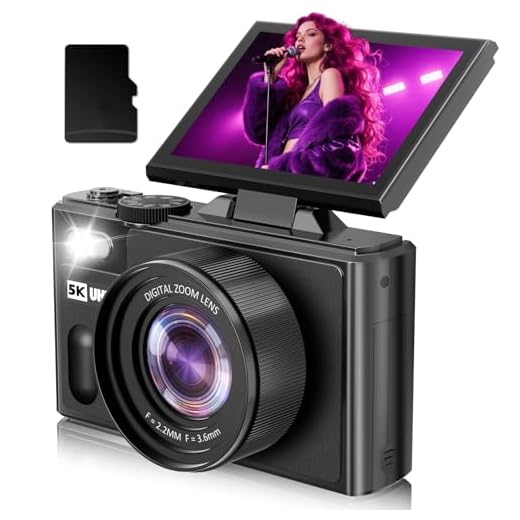
Impact on storage space
When you delete pictures directly from your digital camera, you are freeing up space on your memory card or internal storage. This means you can take more pictures without worrying about running out of space. However, deleting pictures directly from your camera can be risky as you might accidentally delete important photos that you wanted to keep.
On the other hand, deleting pictures on your computer allows you to free up space on your hard drive or external storage device. This can help improve the performance of your computer and ensure you have enough space for other important files and applications. Deleting pictures on your computer also gives you more control over which photos you want to keep and which ones you want to delete.
Quality of Deleted Images
When you delete images from your digital camera, the quality of the deleted images remains the same as when they were captured. Deleting images directly from your camera does not affect the image quality in any way.
On the other hand, deleting images from your computer may result in a loss of image quality, especially if you choose to permanently delete the files. This is because when you delete images from your computer, you are also potentially deleting the original files, which can affect the image quality if you ever need to retrieve them.
Workflow efficiency
When deciding whether to delete pictures in your digital camera or on your computer, consider your workflow efficiency. Deleting photos on your camera can free up space for more shots, but it can also disrupt your shooting process and slow you down. On the other hand, deleting images on your computer allows you to review and organize your photos more effectively, but it can be time-consuming and may lead to a cluttered storage system.
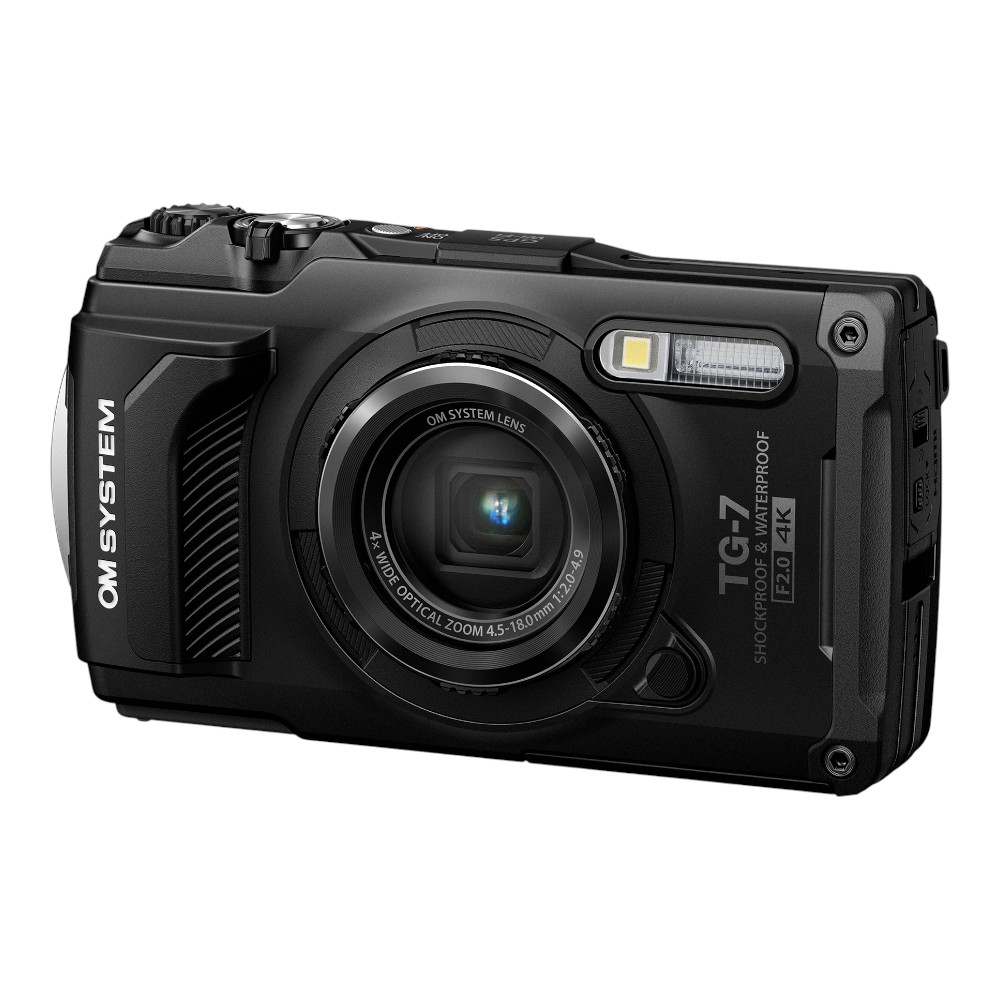
To maintain workflow efficiency, it is recommended to transfer all your photos to your computer first, review and organize them, and then delete any unwanted images. This way, you can streamline your workflow, keep track of your photos better, and ensure that you don’t accidentally delete any valuable pictures.
Backup and recovery options
Backing up your photos is essential to prevent loss of precious memories. There are several options available for backing up your digital photos:
| Option | Description |
|---|---|
| External hard drive | You can regularly back up your photos to an external hard drive to ensure you have a copy stored separately from your camera or computer. |
| Cloud storage | Using cloud storage services like Google Drive, Dropbox, or iCloud, you can upload your photos to the cloud for safekeeping and easy access from any device. |
| Memory cards | Keep your photos on memory cards as an additional backup option. Make sure to label and store them properly. |
| Automatic backup software | Utilize automatic backup software that can regularly back up your photos to a designated location, providing peace of mind and convenience. |
Having multiple backup options ensures that even if one method fails, you still have other copies of your photos to rely on for recovery. Choose the backup solutions that work best for your needs and make it a habit to back up your photos regularly.
Managing clutter in digital devices
As technology advances, we accumulate more and more digital clutter on our devices. Managing this clutter is essential to keep our digital lives organized and efficient.
Regularly clean up: Deleting unnecessary files, apps, and photos from your digital devices can free up space and improve performance. Make it a habit to regularly review and delete items you no longer need.

Organize files: Create folders and subfolders to categorize and store your files in a structured way. This will make it easier to find specific items when you need them.
Backup important data: To prevent data loss, regularly backup important files and photos to an external hard drive or cloud storage. This will provide a safety net in case your device malfunctions or gets lost.
Use cloud storage: Consider using cloud storage services to store files, photos, and documents. This can help reduce clutter on your device and provide easy access to your data from anywhere.
By following these tips, you can effectively manage clutter in your digital devices and maintain a streamlined digital experience.
Final thoughts on deleting photos from camera or computer
When deciding whether to delete photos from your camera or computer, it’s important to consider your workflow and storage preferences.

Deleting photos directly from your camera can help you free up space for new pictures and ensure that you don’t accidentally mix up old and new images. However, if you delete photos from your camera before transferring them to your computer, you risk losing those memories forever if something happens to your camera.
On the other hand, deleting photos from your computer can help you organize your digital files and save space on your hard drive. But if you delete photos from your computer without backing them up, you may lose them if your computer crashes or is damaged.
In the end, it’s a good idea to back up your photos regularly and consider using cloud storage or external hard drives to store your precious memories safely. Whether you delete photos from your camera or computer, make sure you have a system in place to protect your images for the long term.
FAQ
Is it better to delete pictures directly on the digital camera or on the computer?
It is generally recommended to delete pictures on the computer rather than on the digital camera. Deleting on the computer allows you to view the images on a larger screen and make a more informed decision about which photos to keep or delete. Additionally, deleting on the computer reduces the risk of accidentally deleting important photos on the camera.
What are the advantages of deleting pictures on the computer instead of on the digital camera?
Deleting pictures on the computer provides a better viewing experience as you can see the images on a larger screen. It also allows you to organize and manage your photos more effectively. Moreover, deleting on the computer reduces the chances of mistakenly deleting valuable pictures on the camera and gives you more control over the deletion process.




I disagree with the idea that deleting on the camera is too risky. I often delete unwanted photos right away. It keeps my camera organized and I rarely regret it.
That’s true, it can be convenient, but I still think it’s better to have a backup first. You never know what you’ll want to keep!
Can someone explain how deleting images from the computer could affect the quality of the pictures? I thought deleting just removes them, but not the quality.
Deleting images from your computer doesn't affect the quality of the remaining files, but be cautious if you choose to permanently delete originals without backups. Always keep a copy to avoid any loss.
I always back up my photos to the cloud before deleting anything. Just in case!