
 Carmen J. Moore

Are you new to the world of digital photography and feeling overwhelmed by all the buttons and settings on your camera? Don’t worry, you’re not alone! Learning how to use a digital camera can seem daunting at first, but with a little guidance, you’ll be capturing stunning images in no time.
Understanding the basics of how digital cameras work is the first step towards becoming a confident photographer. Digital cameras use sensors to capture light and convert it into digital images. By adjusting settings such as aperture, shutter speed, and ISO, you can control how your images turn out.

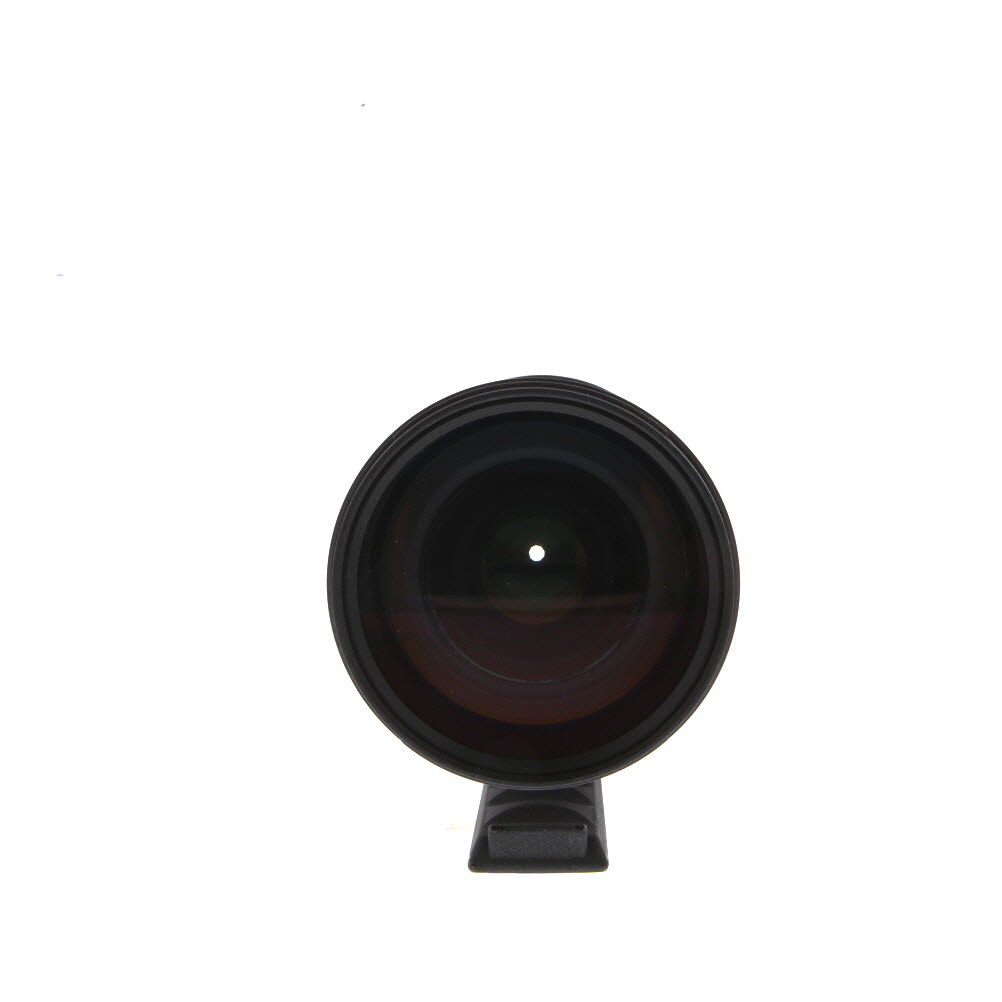


Whether you’re using a point-and-shoot camera or a DSLR, learning how to properly hold your camera and frame your shots can make a huge difference in the quality of your photos. Experimenting with different angles and compositions will help you develop your own unique style as a photographer.
The Basics of Using Digital Cameras
Using a digital camera is a fun and rewarding experience, especially for beginners. Here are some basic tips to help you get started:
- Turn on the camera by pressing the power button.
- Check the battery level and make sure you have enough storage space on your memory card.
- Adjust the settings such as the shooting mode, ISO, and white balance to suit your environment.
- Hold the camera steady and focus on your subject by half-pressing the shutter button.
- Compose your shot by using the viewfinder or LCD screen.
- Press the shutter button fully to take the photo.
- Review your photos on the camera’s LCD screen and make adjustments as needed.
- Transfer your photos to a computer or device for editing and sharing.
Practice makes perfect, so don’t be afraid to experiment with different settings and techniques to improve your photography skills.
Understanding Camera Settings
When using a digital camera as a beginner, it is important to understand the basic camera settings to ensure you capture the best possible images. Here are some key settings to familiarize yourself with:
- ISO: This setting determines the camera’s sensitivity to light. A lower ISO is ideal for bright conditions, while a higher ISO is better for low-light situations.
- Aperture: Aperture controls the amount of light that enters the camera. A lower f-number means a larger aperture and more light, while a higher f-number means a smaller aperture and less light.
- Shutter Speed: Shutter speed determines how long the camera’s shutter remains open to capture an image. A faster shutter speed is ideal for freezing fast-moving subjects, while a slower shutter speed can create motion blur.
- White Balance: White balance adjusts the color temperature of your images to ensure accurate colors under different lighting conditions.
By understanding and experimenting with these settings, you can improve your photography skills and take your digital camera to the next level.

Choosing the Right Camera for You
When starting out with digital photography, selecting the right camera is crucial to your success. There are various types of digital cameras available on the market, each with its own set of features and capabilities. Here are some key factors to consider when choosing a camera:
1. Determine Your Needs
Before making a purchase, think about how you plan to use the camera. Are you looking for a compact point-and-shoot camera for casual photography, or do you need a more advanced DSLR for professional-level shots? Consider your skill level, budget, and intended use to narrow down your options.
2. Research Camera Types
Take the time to research different types of digital cameras, such as compact, mirrorless, and DSLR cameras. Each type has its own advantages and disadvantages, so it’s essential to understand the features and benefits of each before making a decision. Look for cameras with user-friendly interfaces and features that match your photography style.
Exploring Different Camera Modes
One of the key features of digital cameras is the variety of shooting modes they offer. Understanding and using these modes can significantly improve your photography skills. Here are some common camera modes you may encounter:
1. Auto Mode: This mode automatically adjusts settings such as exposure, focus, and white balance to capture a well-exposed image. It’s great for beginners who are just starting out with photography.
2. Program Mode: In this mode, the camera sets the aperture and shutter speed, but you have control over other settings like ISO and white balance. It’s a good mode for semi-automatic shooting.
3. Shutter Priority Mode: This mode allows you to set the shutter speed while the camera adjusts the aperture for proper exposure. It’s useful for capturing fast-moving subjects or controlling motion blur.
4. Aperture Priority Mode: In this mode, you can set the aperture, and the camera adjusts the shutter speed for correct exposure. It’s ideal for controlling depth of field and creating artistic effects.
5. Manual Mode: This mode gives you full control over all settings, including aperture, shutter speed, and ISO. It’s perfect for advanced users who want complete creative control over their photos.
Experimenting with these different camera modes can help you understand how each setting affects your photos and improve your photography skills over time.

Tips for Taking Sharp Photos
Taking sharp photos with your digital camera can make a huge difference in the quality of your images. Here are some tips to help you achieve sharp photos:
1. Use a Tripod
One of the best ways to ensure sharp photos is to use a tripod. This will help stabilize your camera and reduce camera shake, resulting in clearer images.
2. Adjust Your Focus
Make sure you adjust your focus properly before taking a photo. Use the autofocus feature on your camera or manually adjust the focus to ensure your subject is sharp.
Remember: A sharp photo is essential for capturing clear and detailed images. Practice these tips to improve your photography skills and take stunning photos with your digital camera.
Composition Techniques for Beginners
Composition is a crucial aspect of photography that can make or break an image. Here are some basic composition techniques to help beginners improve their photography:

Rule of Thirds
The rule of thirds is a fundamental composition technique where you divide your frame into nine equal sections using two horizontal and two vertical lines. Place key elements along these lines or at their intersections to create a balanced and visually appealing composition.
Leading Lines
Leading lines are lines within an image that lead the viewer’s eye to the main subject. Look for natural lines like roads, rivers, or fences to guide the viewer’s gaze through your photograph and create depth and movement.
- Experiment with different angles and perspectives to find the most compelling leading lines.
- Use leading lines to draw attention to the focal point of your image.
Editing Your Photos Like a Pro
Editing your photos is an important step in the digital photography process. It allows you to enhance the quality of your images, correct any imperfections, and add creative touches to make your photos stand out. Here are some tips to help you edit your photos like a pro:
1. Choose the Right Editing Software
There are many editing software options available, ranging from beginner-friendly programs to professional-level tools. Some popular choices include Adobe Photoshop, Lightroom, and GIMP. Experiment with different software to find one that suits your needs and skill level.
2. Understand Basic Editing Techniques
Before diving into advanced editing techniques, it’s essential to master the basics. Learn how to adjust exposure, contrast, saturation, and sharpness. Familiarize yourself with cropping, straightening, and resizing images. These fundamental skills will lay the foundation for more complex edits.
| Editing Tip: | Use adjustment layers in your editing software to make non-destructive edits. This allows you to experiment with different settings without permanently altering the original image. |
Sharing Your Photos Online
Once you have taken some amazing photos with your digital camera, you may want to share them online with friends and family. Here are some easy steps to help you share your photos:
- Transfer your photos from your camera to your computer using a USB cable or memory card reader.
- Select the photos you want to share and organize them into folders to stay organized.
- Choose a platform to share your photos, such as social media sites like Facebook, Instagram, or photo-sharing websites like Flickr or Imgur.
- Upload your photos to the chosen platform and add captions or tags to make them more searchable.
- Share the link to your photos with friends and family via email or social media to showcase your photography skills.
By following these steps, you can easily share your photos online and receive feedback and appreciation for your work.
Learning from Photography Tutorials
One of the best ways to improve your photography skills as a beginner is to learn from photography tutorials. There are countless online resources, including video tutorials, articles, and blogs, that can help you understand the basics of composition, lighting, and camera settings.
When looking for photography tutorials, focus on topics that interest you the most, such as portrait photography, landscape photography, or macro photography. By following step-by-step guides and practicing the techniques you learn, you can quickly see improvements in your own photography.
Additionally, joining photography forums or communities can provide a supportive environment where you can share your work, receive feedback, and connect with other photographers. Don’t be afraid to ask questions and seek advice from more experienced photographers – they can offer valuable insights and tips to help you grow as a photographer.

| Tip: | Bookmark your favorite photography tutorials so you can easily refer back to them whenever you need a refresher or inspiration. |
Joining Photography Communities
One of the best ways to improve your photography skills as a beginner is to join photography communities. These online or local groups provide a supportive environment for learning and sharing experiences with like-minded individuals.
By participating in photography communities, you can receive feedback on your work, learn new techniques, and get inspired by the work of others. Additionally, you can build connections with other photographers and potentially find mentors who can help you grow as a photographer.
FAQ
What are the basic features I should look for in a digital camera as a beginner?
As a beginner, you should look for a digital camera with easy-to-use controls, a good image sensor for clear photos, optical zoom for versatility, and image stabilization to reduce blurry photos. Additionally, consider the camera’s size, weight, and battery life for convenience.
How can I learn to use the different settings on my digital camera?
To learn how to use the different settings on your digital camera, start by reading the camera manual thoroughly. You can also watch tutorials online, attend photography workshops, or practice experimenting with the settings in various shooting scenarios. Practice is key to mastering your camera’s features.
What is the best way to transfer photos from my digital camera to my computer?
The best way to transfer photos from your digital camera to your computer is to use a USB cable that came with your camera. Simply connect the camera to your computer, and it should be recognized as a storage device. You can then copy the photos from the camera to your computer’s hard drive for safekeeping.

How can I improve the composition of my photos with a digital camera?
To improve the composition of your photos with a digital camera, consider using the rule of thirds, leading lines, framing, and experimenting with different angles. Pay attention to the lighting and background of your shots to create visually appealing images. Practice framing your subjects creatively to enhance the overall composition of your photos.
What are some common mistakes beginners make when using digital cameras?
Some common mistakes beginners make when using digital cameras include not reading the manual, using the wrong shooting mode, ignoring composition rules, not checking camera settings before shooting, and relying too much on post-processing to fix mistakes. It’s important to familiarize yourself with your camera and practice regularly to avoid these common pitfalls.





I recently started using a DSLR, and I found the transition from a point-and-shoot to be a bit tough. The manual mode is overwhelming, but I love the creative control it offers. I recommend practicing with different settings, especially aperture and shutter speed, to really see how they affect the photos. It’s made a big difference for me!