
 Carmen J. Moore

Do you dream of capturing breathtaking landscapes, vibrant portraits, or dynamic action shots with a professional digital camera? Whether you’re a seasoned photographer or just starting out, understanding how to use a professional digital camera can take your photography skills to the next level.
From adjusting aperture and shutter speed to mastering composition and lighting, there are numerous factors to consider when using a professional digital camera. With the right knowledge and practice, you can unlock the full potential of your camera and create stunning images that truly stand out.
Join us on a journey to explore the essential techniques and tips for utilizing a professional digital camera effectively. Let’s delve into the world of digital photography and discover how you can elevate your photography game with the power of a professional camera.
Mastering the Art of Digital Photography with a Professional Camera
Using a professional digital camera can elevate your photography skills to the next level. Whether you are a beginner or an experienced photographer, mastering the art of digital photography with a professional camera requires practice, patience, and an understanding of the camera’s features.


Here are some tips to help you make the most of your professional camera:
| 1. Learn the Basics: Familiarize yourself with the camera’s settings, such as aperture, shutter speed, ISO, and white balance. Understanding these fundamentals will help you capture better photos in various lighting conditions. |
| 2. Experiment with Different Lenses: Invest in high-quality lenses to enhance the quality of your images. Experiment with different focal lengths and apertures to achieve different effects and perspectives. |
| 3. Practice Composition Techniques: Learn about composition techniques such as the rule of thirds, leading lines, and framing. Experiment with different angles and perspectives to create visually compelling photographs. |
| 4. Use Manual Mode: Challenge yourself to shoot in manual mode to have full control over your camera settings. This will allow you to customize the exposure and achieve the desired creative effect. |
| 5. Post-Processing: Use photo editing software to enhance your images further. Learn basic editing techniques such as adjusting exposure, contrast, and color balance to make your photos stand out. |
Understanding the Basics of Camera Settings
Before you start using your professional digital camera, it’s important to understand the basic camera settings that will help you capture the best possible images. Here are some key settings to familiarize yourself with:
1. Aperture
The aperture setting controls the size of the opening in the lens through which light passes. A lower f-stop number (e.g. f/2.8) means a larger aperture, allowing more light to enter the camera. A higher f-stop number (e.g. f/16) means a smaller aperture, letting in less light. Adjusting the aperture also affects the depth of field in your photos.
2. Shutter Speed
Shutter speed determines how long the camera’s shutter remains open to capture light. A faster shutter speed (e.g. 1/1000) freezes motion but lets in less light, while a slower shutter speed (e.g. 1/30) allows more light in but may result in motion blur. Experiment with different shutter speeds to achieve the desired effect.
Understanding and mastering these basic camera settings will help you take full advantage of your professional digital camera and capture stunning images. Experiment with different settings in various lighting conditions to enhance your photography skills.

Choosing the Right Lenses for Various Scenarios
One of the key factors in capturing high-quality images with a professional digital camera is choosing the right lens for the specific scenario. Different lenses have different focal lengths and aperture ranges, which can greatly impact the final result of your photos.
Wide-angle lenses are ideal for landscape photography, architecture, and interior shots. They have a wider field of view, allowing you to capture more of the scene in a single frame.
Telephoto lenses are great for wildlife photography, sports events, and capturing distant subjects. They have a long focal length, which magnifies the image and brings distant objects closer.
Macro lenses are perfect for close-up photography, such as capturing intricate details of flowers, insects, or small objects. They have a short minimum focusing distance, allowing you to get sharp and detailed shots of tiny subjects.
Prime lenses have a fixed focal length and are known for their sharpness and low-light performance. They are great for portraits, street photography, and low-light situations where you need a wide aperture to let in more light.
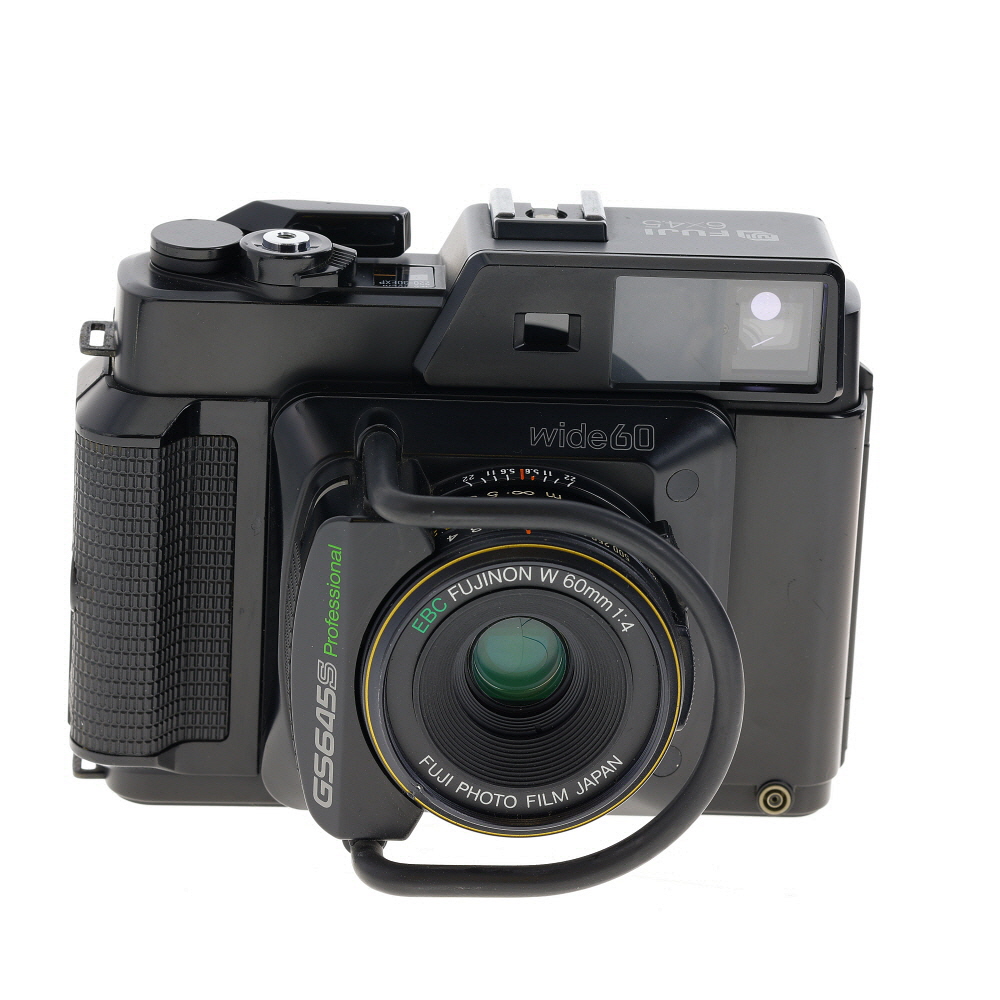
Zoom lenses offer versatility by allowing you to adjust the focal length without changing the lens. They are convenient for situations where you need to quickly switch between different focal lengths, such as events or travel photography.
By understanding the characteristics of different lenses and selecting the right one for each scenario, you can elevate your photography skills and capture stunning images with your professional digital camera.
Exploring Creative Composition Techniques
One of the key elements in photography is composition. The way you frame your shot can make a huge difference in the visual impact of your images. Here are some creative composition techniques to help you take your photography to the next level:
1. Rule of Thirds: Divide your frame into thirds both vertically and horizontally, and place your subject at one of the intersections. This creates a more dynamic and visually appealing composition.
2. Leading Lines: Use lines in your composition to guide the viewer’s eye through the image. This can create a sense of depth and movement in your photos.

3. Framing: Use elements in the environment to frame your subject and draw attention to it. This can add interest and context to your images.
4. Symmetry: Create balance and harmony in your composition by using symmetry. This can create a sense of order and calm in your photos.
5. Negative Space: Experiment with negative space to create more impactful compositions. Leaving empty space around your subject can draw attention to it and create a sense of isolation or importance.
By experimenting with these creative composition techniques, you can add depth, interest, and emotion to your photos, making them more engaging and visually appealing.
Utilizing Natural Light to Enhance Your Photos
One of the most important aspects of photography is lighting, and natural light can be a powerful tool to enhance your photos. Here are some tips on how to make the most of natural light when using a professional digital camera:

| 1. Golden Hour: | Shoot during the golden hour, which is the hour after sunrise and the hour before sunset. The light during these times is soft, warm, and diffused, creating a beautiful glow that can enhance your photos. |
| 2. Use Reflectors: | Reflectors can help bounce natural light onto your subject, filling in shadows and creating a more even lighting effect. You can use a professional reflector or even a white sheet or foam board. |
| 3. Avoid Harsh Midday Sun: | Avoid shooting in harsh midday sun as it can create strong shadows and harsh highlights. If you have to shoot during this time, look for shaded areas or use a diffuser to soften the light. |
| 4. Experiment with Backlighting: | Backlighting can create a beautiful halo effect around your subject, especially during sunrise or sunset. Experiment with positioning your subject in front of the light source for stunning results. |
Post-Processing Tips for Professional-Quality Images
Post-processing is a crucial step in achieving professional-quality images with your digital camera. Here are some tips to enhance your photos:
1. Use RAW Format
Shoot in RAW format to retain the most image data, giving you greater flexibility in post-processing. RAW files preserve more details and allow for better adjustments without sacrificing image quality.
2. Adjust White Balance
Correct the white balance in your images to ensure accurate colors. Use editing software to fine-tune the white balance settings and make your photos look more natural and vibrant.
| Before | After |
|---|---|
 |
 |
Experimenting with Different Shooting Modes
Professional digital cameras come with various shooting modes that allow you to experiment with different settings to achieve the desired effect in your photos. Here are some common shooting modes you can try:
1. Manual Mode
In manual mode, you have full control over the camera settings, such as aperture, shutter speed, and ISO. This mode is ideal for experienced photographers who want to fine-tune every aspect of their shot.
2. Aperture Priority Mode
Aperture priority mode lets you set the desired aperture while the camera automatically adjusts the shutter speed to achieve proper exposure. This mode is great for controlling depth of field.
- Experiment with different apertures to see how they affect the sharpness and blur in your photos.
- Use a wide aperture (low f-stop) for a shallow depth of field, perfect for portraits.
- Try a small aperture (high f-stop) for landscapes to keep everything in focus.
By exploring these shooting modes and experimenting with different settings, you can unleash the full potential of your professional digital camera and capture stunning photos.
Advanced Tips for Capturing Moving Subjects
When capturing moving subjects with a professional digital camera, it’s important to use the right settings and techniques to ensure sharp and dynamic images. Here are some advanced tips to help you master the art of capturing moving subjects:
1. Use a fast shutter speed: To freeze the motion of a moving subject, set your camera to a fast shutter speed. This will help you capture the subject in sharp detail without any motion blur.
2. Focus on the eyes: When photographing moving subjects, make sure to focus on the eyes to create a connection with the viewer. Use continuous autofocus mode to track the subject and keep them in focus as they move.

3. Anticipate the action: To capture the decisive moment, anticipate the movement of the subject and be ready to press the shutter button at the right time. This requires practice and patience, but it will help you capture dynamic and engaging images.
4. Experiment with panning: Panning is a technique where you move the camera along with the moving subject to create a sense of motion in the image. To master this technique, practice tracking the subject smoothly and shooting at a slower shutter speed.
5. Use burst mode: Burst mode allows you to capture a series of images in quick succession, which is useful when photographing fast-moving subjects. This will increase your chances of getting the perfect shot.
6. Consider the background: Pay attention to the background when photographing moving subjects. A cluttered or distracting background can take away from the impact of your image, so try to find a clean and simple background to make your subject stand out.
By following these advanced tips, you can improve your skills in capturing moving subjects with a professional digital camera and create stunning images that capture the excitement and energy of the moment.

Creating Stunning Portraits with Depth of Field
Depth of field is a crucial element in portrait photography as it helps to isolate the subject from the background and create a sense of depth and dimension in the image. By controlling the depth of field, you can draw attention to the subject and create a more visually appealing portrait.
Here are some tips on how to use depth of field effectively in portrait photography:
| 1. Aperture Settings | Use a wide aperture (small f-stop number) to create a shallow depth of field, blurring the background and focusing on the subject. Experiment with different aperture settings to achieve the desired effect. |
| 2. Focus on the Eyes | When shooting portraits, always focus on the eyes of the subject to ensure they are sharp and in focus. A shallow depth of field can help to make the eyes pop and draw the viewer’s attention to them. |
| 3. Distance from Subject | The closer you are to the subject, the shallower the depth of field will be. Experiment with different distances to achieve the desired level of background blur while keeping the subject sharp. |
| 4. Use a Portrait Lens | A prime lens with a wide aperture, such as a 50mm or 85mm lens, is ideal for portrait photography as it allows you to achieve a beautiful bokeh effect in the background while keeping the subject in focus. |
By mastering the use of depth of field in portrait photography, you can create stunning and professional-looking portraits that stand out from the crowd. Experiment with different settings and techniques to find what works best for your style and vision.
Sharing Your Masterpieces with the World
Once you have captured stunning images with your professional digital camera, it’s time to share your masterpieces with the world. Here are some ways to showcase your work:
1. Social Media Platforms: Share your photos on popular social media platforms like Instagram, Facebook, and Twitter to reach a wider audience and connect with other photography enthusiasts.
2. Online Photography Communities: Join online photography communities and forums where you can share your work, receive feedback, and engage with fellow photographers to improve your skills.
3. Create a Portfolio Website: Build a professional portfolio website to showcase your best work and attract potential clients or collaborators. Include a variety of images to demonstrate your range and style.
4. Participate in Photo Contests: Enter photography contests to gain recognition and exposure for your work. Winning or being a finalist in a contest can boost your credibility as a photographer.
5. Collaborate with Other Creatives: Partner with graphic designers, artists, or bloggers to create collaborative projects that showcase your photography in a unique way and reach a new audience.
Remember, sharing your photos with the world is a great way to get feedback, build your portfolio, and establish yourself as a professional photographer.
FAQ
What are the key features of a professional digital camera?
A professional digital camera typically has a large image sensor, high resolution, interchangeable lenses, manual controls, and advanced autofocus capabilities. These features allow photographers to have more control over their images and achieve higher quality results.
How do I choose the right professional digital camera for my needs?
When choosing a professional digital camera, consider factors such as your budget, the type of photography you will be doing, the camera’s ergonomics, and the availability of compatible lenses and accessories. It’s also important to test the camera in person before making a purchase to ensure it feels comfortable and intuitive to use.
What are some tips for getting the most out of a professional digital camera?
To make the most of your professional digital camera, experiment with different settings and shooting modes to understand how they affect your images. Take the time to learn about composition, lighting, and exposure, as these elements play a crucial role in creating compelling photographs. Additionally, consider investing in high-quality lenses and accessories to expand your creative possibilities.


