
 Carmen J. Moore

When it comes to capturing memorable moments with your digital camera, having a fast memory card can make all the difference. The speed of your memory card can impact how quickly your camera writes data, allowing you to capture more shots in rapid succession without missing a beat.


But how fast should your memory card be for your digital camera? The answer depends on the type of camera you have and your shooting needs. Different cameras have varying write speeds and buffer capacities, so it’s essential to choose a memory card that can keep up with your camera’s capabilities.
Whether you’re a professional photographer shooting in burst mode or a casual shooter capturing family moments, having a memory card with the right speed can enhance your overall photography experience. In this article, we’ll explore the factors to consider when selecting a memory card for your digital camera and how to determine the optimal speed for your specific camera model.
Choosing the Right Memory Card for Your Digital Camera
When it comes to choosing a memory card for your digital camera, there are a few key factors to consider. One of the most important factors is the speed of the memory card. The speed of a memory card is measured in terms of read and write speeds, which determine how quickly data can be transferred to and from the card.
For most digital cameras, a memory card with a minimum Class 10 speed rating is recommended. This means that the card has a minimum write speed of 10 MB/s, which is sufficient for capturing high-resolution photos and videos without any lag or delays.
If you plan to shoot in burst mode or record high-definition videos, you may want to consider a memory card with a higher speed rating, such as UHS-I or UHS-II. These cards offer faster read and write speeds, allowing you to capture more images in quick succession or record high-quality videos without any buffering.

It’s also important to consider the storage capacity of the memory card. Make sure to choose a card with enough storage space to accommodate your needs, whether you’re shooting still photos or recording videos. Remember that higher resolution images and videos will require more storage space, so it’s best to opt for a card with a larger capacity.
Ultimately, the right memory card for your digital camera will depend on your specific needs and shooting preferences. By considering factors such as speed, capacity, and compatibility, you can choose a memory card that will help you get the most out of your digital camera.
Speed Class: What You Need to Know
When choosing a memory card for your digital camera, it’s important to pay attention to the speed class. The speed class of a memory card indicates the minimum sustained write speed that the card can maintain. This is crucial for capturing high-resolution photos or recording HD videos without any lag or dropped frames.
There are different speed classes to consider, such as Class 2, Class 4, Class 6, Class 10, UHS Class 1, and UHS Class 3. The higher the class number, the faster the card is in terms of write speed. For most digital cameras, a Class 10 or UHS Class 1 card is recommended to ensure smooth performance during continuous shooting or video recording.
It’s worth noting that some cameras may have specific requirements for memory card speed, so it’s always a good idea to check your camera’s manual or manufacturer’s recommendations before purchasing a memory card. Investing in a high-speed memory card can make a significant difference in the overall performance of your digital camera.
Understanding Read and Write Speeds
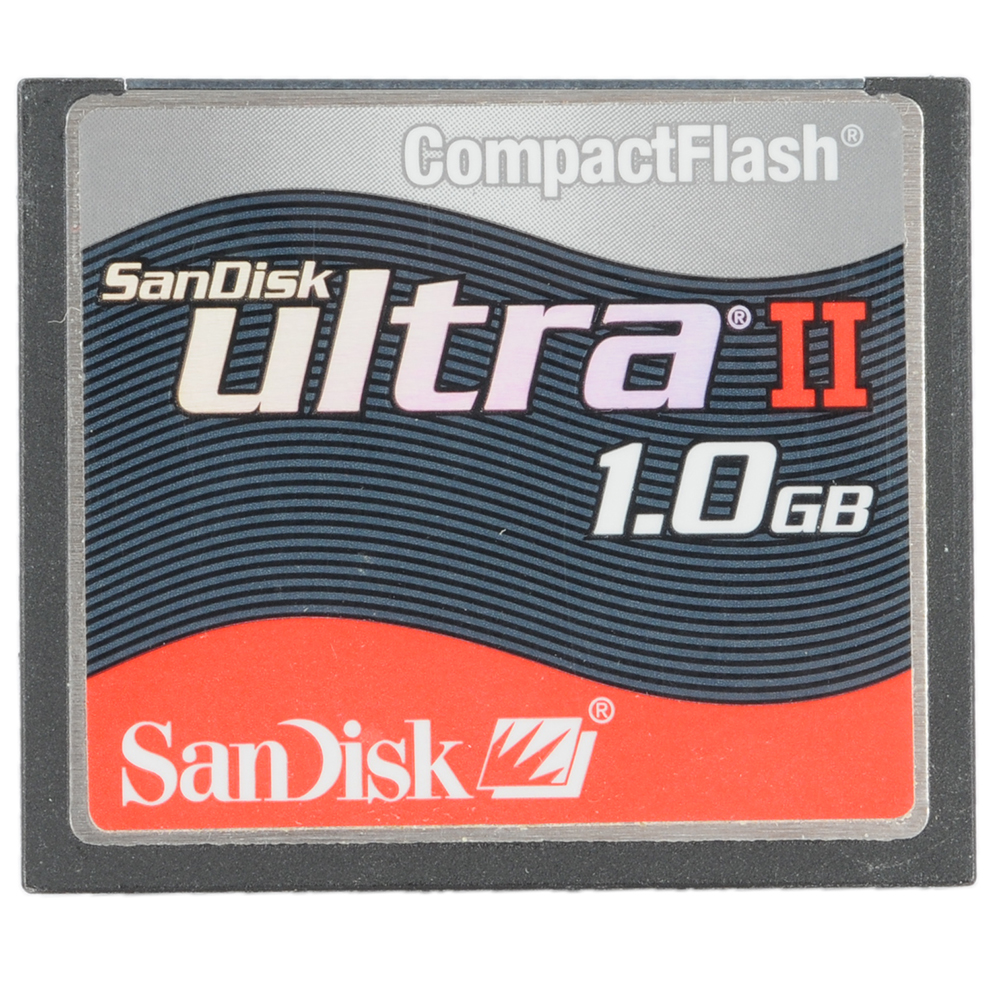
When it comes to memory cards for digital cameras, one of the key factors to consider is the read and write speeds. Read speed refers to how quickly data can be transferred from the memory card to a computer or other device, while write speed refers to how quickly data can be saved to the memory card.
Read Speed
A faster read speed is important when you need to transfer large files or high-resolution images quickly. If you frequently transfer files from your memory card to a computer for editing or sharing, a higher read speed can save you valuable time.
Write Speed
Write speed is crucial for capturing fast-moving subjects or shooting in burst mode. A higher write speed ensures that your camera can write data to the memory card quickly and efficiently, reducing the risk of missing important shots.
Factors Affecting Memory Card Performance
When selecting a memory card for your digital camera, several factors can impact its performance. Understanding these factors can help you choose the right memory card for your needs:
- Speed Class: Memory cards are classified by speed class ratings such as Class 2, Class 4, Class 6, Class 10, UHS-I, and UHS-II. Higher class ratings indicate faster read and write speeds, which are crucial for capturing high-resolution photos and videos.
- Capacity: The storage capacity of a memory card affects its performance. Smaller capacity cards may write data faster than larger capacity cards, so consider your storage needs when selecting a card.
- File Format: Different file formats, such as RAW or JPEG, can impact how quickly data is written to the memory card. RAW files, for example, are larger and require more time to write compared to JPEG files.
- Compatibility: Ensure that the memory card is compatible with your camera model to avoid compatibility issues that could affect performance.
- Brand and Quality: Opt for reputable memory card brands known for their reliability and performance. Quality cards are less likely to fail or cause data corruption, ensuring smooth operation.
Benefits of Using High-Speed Memory Cards
When it comes to digital photography, using high-speed memory cards can offer several advantages. Here are some of the key benefits:

Faster Data Transfer
High-speed memory cards allow for faster data transfer speeds, which means you can quickly transfer photos and videos from your camera to your computer or other devices. This can save you time and make it easier to work with your files.
Improved Performance
Using a high-speed memory card can also improve the overall performance of your camera. Faster write speeds mean you can take more photos in quick succession without experiencing lag or delays. This is especially important when shooting in burst mode or capturing fast-moving subjects.
Additionally, high-speed memory cards are often more reliable and durable, so you can trust them to store your valuable memories safely and securely.
Memory Card Compatibility with Cameras
When selecting a memory card for your digital camera, it is crucial to ensure compatibility with your camera model. Different cameras have specific requirements for memory card types and speeds. Before purchasing a memory card, check your camera’s user manual or specifications online to determine the type of memory card it supports.
Some cameras may only be compatible with certain types of memory cards, such as SD, SDHC, or SDXC. Additionally, cameras may have speed requirements for memory cards to ensure optimal performance. Make sure to choose a memory card that meets or exceeds your camera’s speed requirements to avoid issues like slow write speeds or buffer overflows.

It’s also important to consider the capacity of the memory card. Some older cameras may not support high-capacity memory cards, so it’s best to check the maximum capacity your camera can handle. Choosing a memory card that is too large for your camera may result in compatibility issues or errors.
By selecting a memory card that is compatible with your camera model and meets its requirements, you can ensure smooth operation and reliable performance when capturing photos and videos.
How to Test the Speed of Your Memory Card
Testing the speed of your memory card is important to ensure that it can handle the demands of your digital camera. Here are a few methods you can use to test the speed of your memory card:
1. Using a Speed Testing Tool
One of the easiest ways to test the speed of your memory card is to use a speed testing tool. There are several free tools available online that can help you determine the read and write speeds of your memory card. Simply download the tool, insert your memory card into your computer, and run the test.
2. Real-World Testing
Another method to test the speed of your memory card is to perform real-world testing. This involves taking a series of photos or videos with your digital camera and timing how long it takes for the files to be written to the memory card. By comparing the time it takes to write different file sizes, you can get an idea of the card’s speed.
| File Size | Write Time |
|---|---|
| 100 MB | 10 seconds |
| 500 MB | 30 seconds |
| 1 GB | 1 minute |
Tips for Maximizing Memory Card Performance
1. Choose the Right Speed Class: When selecting a memory card for your digital camera, make sure to choose a speed class that is compatible with your camera’s requirements. Look for Class 10 cards for optimal performance.
2. Format the Card Regularly: Formatting your memory card regularly can help maintain its performance and prevent data corruption. Make sure to back up your data before formatting.
3. Avoid Overfilling the Card: Leaving some free space on your memory card can help improve its read and write speeds. Avoid filling the card to its maximum capacity.
4. Handle with Care: Memory cards are sensitive to physical damage. Handle them with care, avoid bending or dropping them, and store them in a protective case when not in use.
5. Keep the Contacts Clean: Dirty or damaged contacts can affect the performance of your memory card. Regularly clean the contacts with a soft, dry cloth to ensure proper connectivity.
6. Avoid Extreme Temperatures: Memory cards can be sensitive to extreme temperatures. Avoid exposing them to high heat or cold to prevent damage and performance issues.
FAQ
What is the importance of memory card speed in digital cameras?
The speed of a memory card is crucial for digital cameras as it determines how quickly data can be written and read from the card. A faster memory card allows for faster continuous shooting, quicker transfer of files, and smoother video recording.
How do I determine the appropriate memory card speed for my digital camera?
To choose the right memory card speed for your digital camera, first, consider the camera’s specifications and requirements. Look for the minimum write speed recommended by the camera manufacturer. Additionally, if you plan to shoot in burst mode or record high-resolution videos, opt for a memory card with a higher speed rating to ensure optimal performance.




I keep seeing different recommendations for speed classes. Can someone explain why a Class 2 card might be okay for casual use but not for professional work?
Class 2 cards have a minimum write speed of 2 MB/s, which is often insufficient for high-resolution photos and videos. They might work for casual snapshots, but for professional use, higher speed classes are needed to avoid lag.
What speed class should I look for if I'm planning to shoot in burst mode with my DSLR? I have a mid-range model, but I'm not sure if a Class 10 is good enough or if I need something faster.
I recently upgraded to a UHS-II card for my mirrorless camera, and the difference is amazing! I can shoot in continuous mode without any lag, and transferring files to my computer is much faster. It’s definitely worth the investment if you’re serious about photography.