
 Carmen J. Moore

Have you ever wondered if you can use your digital camcorder as a webcam? With the rise of remote work and virtual meetings, many people are looking for ways to improve the quality of their video calls. While webcams are a popular choice for video conferencing, digital camcorders offer superior video quality and more advanced features.




But can you really use a digital camcorder as a webcam? The short answer is yes, you can! By connecting your digital camcorder to your computer, you can use it as a high-quality webcam for your video calls and live streams. This opens up a world of possibilities for improving the visual quality of your online meetings and presentations.
So, how can you set up your digital camcorder as a webcam? In this article, we will explore the steps you need to take to make this transformation, as well as the benefits of using a digital camcorder for your video conferencing needs. Say goodbye to grainy, low-quality video and hello to crystal-clear, professional-looking video calls!
Can You Use a Digital Camcorder as a Web Camera
Many people wonder if they can use their digital camcorder as a web camera. While digital camcorders are primarily designed for recording videos, some models can also be used as web cameras with the right setup.
To use a digital camcorder as a web camera, you will need to connect it to your computer using a USB cable or HDMI cable, depending on the camcorder’s connectivity options. Once connected, you may need to install specific drivers or software provided by the manufacturer to enable the camcorder to function as a web camera.
Keep in mind that not all digital camcorders are compatible with this functionality, so it’s essential to check the specifications of your particular model to see if it supports being used as a web camera.

Using a digital camcorder as a web camera can be a convenient option if you already own one and want to improve the video quality for your online meetings, live streams, or video calls. Just make sure to follow the manufacturer’s instructions for setting up the camcorder as a web camera to ensure optimal performance.
Overview of Digital Camcorders
Digital camcorders are electronic devices designed to capture and record video footage. They typically come equipped with a lens, image sensor, and recording mechanism to capture high-quality video. Digital camcorders have evolved over the years, offering various features such as optical zoom, image stabilization, and high-definition recording capabilities.
Modern digital camcorders also often include built-in WiFi and Bluetooth connectivity, allowing users to easily transfer and share their videos. These devices are commonly used for recording home videos, capturing special moments, and creating professional-quality content for online platforms.
While digital camcorders are primarily used for recording video, some models may also have the capability to function as web cameras when connected to a computer. This feature allows users to use their digital camcorder for video conferencing, live streaming, or recording videos directly to their computer.
Web Camera Functionality
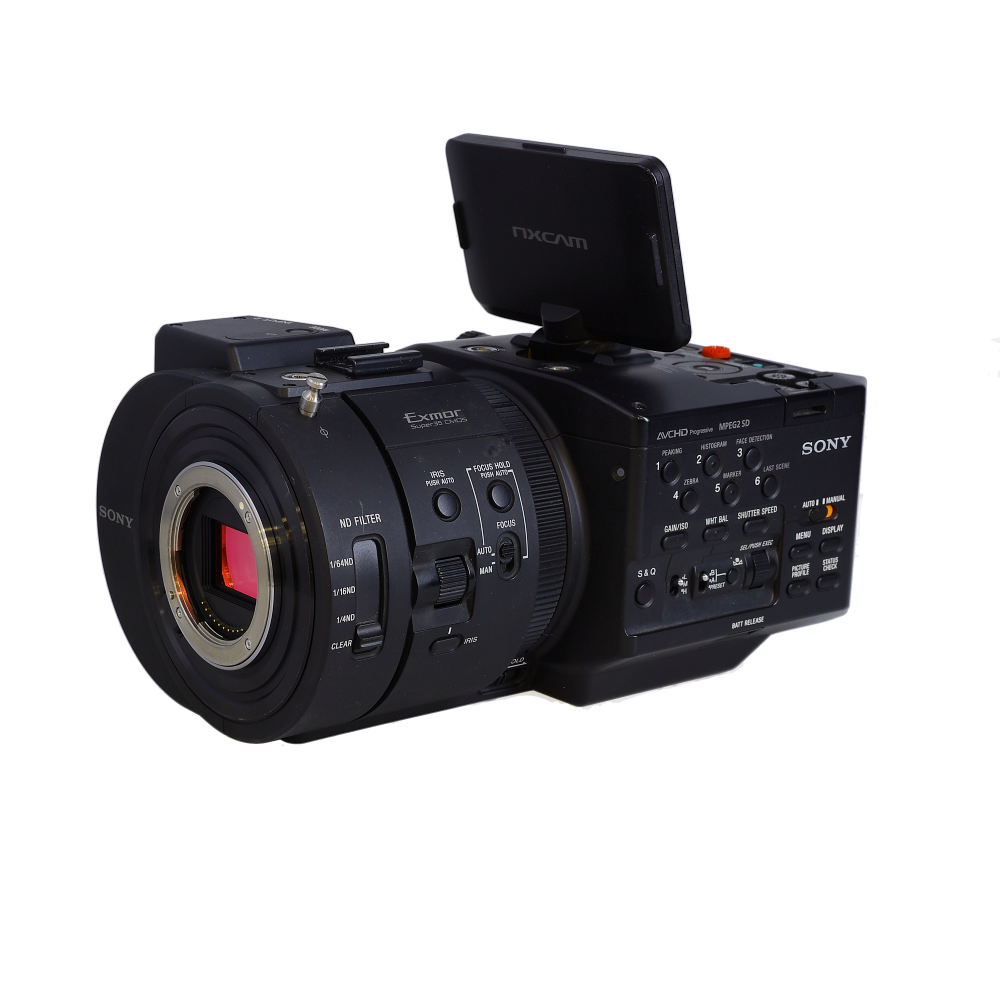
Many digital camcorders can also function as web cameras, allowing you to use them for video conferencing, live streaming, or recording videos directly to your computer. To use your digital camcorder as a web camera, you will need to connect it to your computer using a USB cable or HDMI connection.
Once connected, you may need to install drivers or software provided by the camcorder manufacturer to enable the web camera functionality. Some camcorders may have a built-in feature that allows you to switch to webcam mode directly on the device.
Quality and Features
Using a digital camcorder as a web camera can provide high-quality video and audio for your online meetings or recordings. Many camcorders offer additional features such as zoom, autofocus, and image stabilization, which can enhance your webcam experience.
Before using your camcorder as a web camera, make sure to check the compatibility with your computer and the software you plan to use. With the right setup, you can enjoy professional-level video quality for your online activities.
Compatibility with Digital Camcorders
Using a digital camcorder as a web camera can be a convenient option for those who already own one. However, not all digital camcorders are compatible with this setup. Here are some factors to consider:
1. Connection Options
Check if your digital camcorder has the necessary ports to connect to your computer or streaming device. Some camcorders may require specific cables or adapters to establish a connection.

2. Software Support
Ensure that your digital camcorder is supported by the software you plan to use for video conferencing or live streaming. Some camcorders may require additional drivers or software updates to function as a web camera.
Before attempting to use your digital camcorder as a web camera, consult the manufacturer’s instructions or support resources for compatibility information.
Connecting a Digital Camcorder to a Computer
Connecting a digital camcorder to a computer can be a great way to use it as a webcam. Here are the steps to do so:
Step 1: Check Your Camcorder’s Connectivity Options
First, make sure your digital camcorder has the necessary connectivity options to connect to a computer. Look for USB, HDMI, or Firewire ports on your camcorder.
Step 2: Choose the Right Cable
Depending on the connectivity options of your camcorder and computer, choose the appropriate cable to connect the two devices. For example, if your camcorder has a USB port, you will need a USB cable.

Following these steps will help you connect your digital camcorder to your computer and use it as a webcam for your video calls or live streaming.
Software Requirements for Web Camera Use
Using a digital camcorder as a web camera requires specific software to enable the functionality. Most digital camcorders come with proprietary software that allows them to be used as web cameras. This software typically needs to be installed on your computer and configured to recognize the camcorder as a webcam.
Additionally, you may need to download and install drivers for the camcorder to ensure compatibility with your operating system. Some camcorders may also require specific video conferencing software to be installed for use as a webcam.
Before attempting to use your digital camcorder as a web camera, make sure to check the manufacturer’s website for any additional software or drivers that may be required for proper functionality.
Benefits of Using a Digital Camcorder as a Web Camera
There are several advantages to using a digital camcorder as a web camera. Some of the key benefits include:
| Higher Quality Video | Most digital camcorders are designed to capture high-quality video, which can result in clearer and more professional-looking video footage compared to traditional webcams. |
| Zoom and Focus Control | Many digital camcorders come with features such as zoom and focus control, allowing you to adjust the camera settings to get the perfect shot. |
Conclusion
Overall, using a digital camcorder as a web camera can enhance the quality and flexibility of your video calls and online meetings. With superior video quality and additional features, it can take your video communication to the next level.
Potential Limitations of Using a Digital Camcorder as a Web Camera
While using a digital camcorder as a web camera can offer some benefits, there are also potential limitations to consider:
- Compatibility: Some digital camcorders may not be compatible with all devices or software, limiting your options for use.
- Quality: Digital camcorders are designed for video recording, not live streaming, so the video quality may not be as good as a dedicated web camera.
- Connection: Digital camcorders may require additional cables or adapters to connect to your computer, which can be inconvenient.
- Power: Using a digital camcorder as a web camera may drain the battery quickly, especially if you are using it for extended periods.
- Size: Digital camcorders are typically larger and bulkier than web cameras, making them less convenient for everyday use.
FAQ
Can I use a digital camcorder as a web camera?
Yes, you can use a digital camcorder as a web camera by connecting it to your computer through a USB cable or HDMI port. However, not all camcorders have this capability, so you will need to check if your specific model supports this feature.
What are the benefits of using a digital camcorder as a web camera?
Using a digital camcorder as a web camera can provide higher video quality and better audio compared to a standard webcam. This can be particularly useful for online meetings, streaming, or content creation where high-quality video is important.
Are there any limitations when using a digital camcorder as a web camera?
Some limitations of using a digital camcorder as a web camera include the need for additional software or drivers to enable webcam functionality, potential compatibility issues with certain applications, and the fact that camcorders may not be as convenient to position and adjust as traditional webcams.



Good article! I'm wondering which specific camcorders are best for this setup. Are there brands or models you recommend that work really well as webcams?
I've had great success with the Canon Vixia series. The quality is top-notch and it has solid connectivity options!
I've been using my Sony Handycam as a webcam for the past month, and the difference in quality is amazing. The setup process was straightforward; I used a USB connection and installed the necessary software from Sony's website. The autofocus features have been particularly helpful during my video calls. I highly recommend trying it out if you already own a compatible model!